Status Change Jobs
Manually exporting orders every time status changes? Wasting time? The “Status change jobs” tab in Advanced Order Export for WooCommerce plugin automates this. Export orders automatically when their status changes. Send reports to email, FTP, or other destinations.

Two Ways to Add a Job
Method 1 – Copy from Profiles
Go to Profiles tab. Find your profile. Click Copy to a Status change jobs button.

Click “OK” on the message window.

Look for your new status changes job.
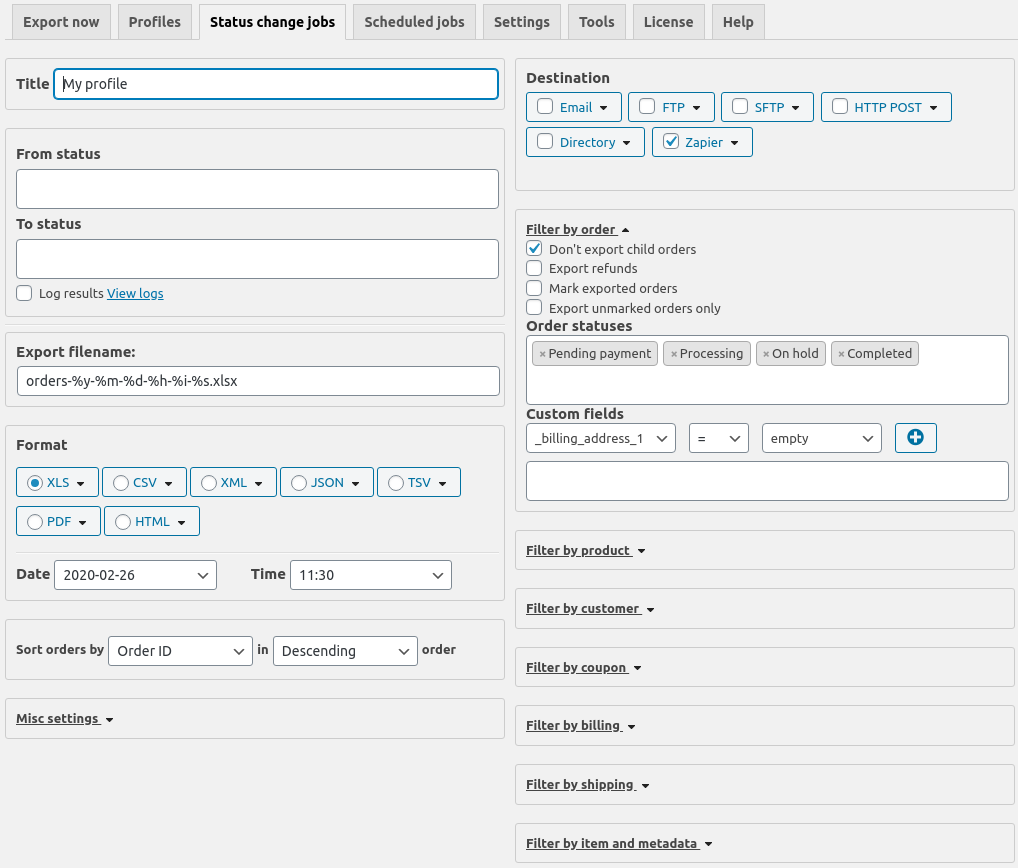
Your new job appears on the Status change jobs tab with all settings copied over
Click Add job button on the Status change jobs tab.
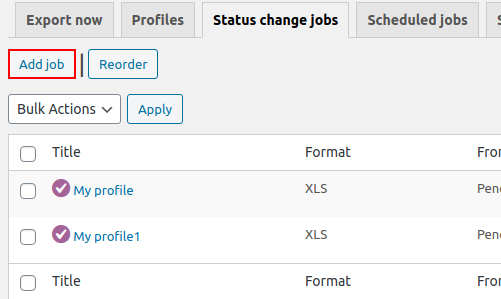
In both cases, at the end you will see the window with the status job settings.

Main Settings
Most settings match the “Export now” tab. Here’s what’s unique.
Title field. Enter a name for your job. “Order to Completed Export” or “Processing to Shipped.”
From status and To status fields. Define which status change triggers the export.
How Status Triggers Work
Both fields filled: Export triggers only when order changes from specific status to specific status.
Example: From “Processing” to “Completed.” Order moves from Processing to Completed. Export runs.
Only From status filled: Export triggers when order leaves that status. Any destination status.
Example: From “Processing” with To empty. Order changes Processing → Completed. Export runs. Order changes Processing → On hold. Export runs.
Only To status filled: Export triggers when order reaches that status. From any starting status.
Example: To “Completed” with From empty. Order changes Pending payment → Completed. Export runs. Order changes Processing → Completed. Export runs.
Both empty: Export runs whenever any order status changes.
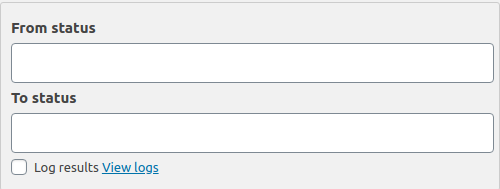
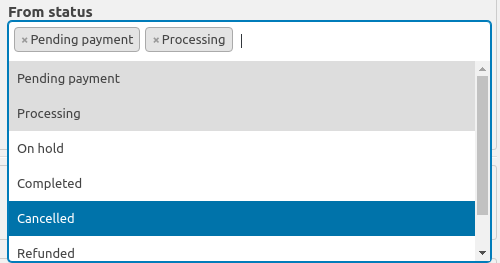
Note: The “From status “and “To status” fields support multiple values.
Logging
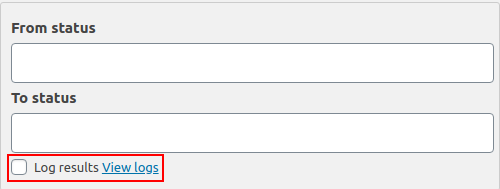
To display logs of the sent reports in the “WooCommerce” – “Status” – “Logs” section, turn on the “Log results” checkbox.
More detailed about “Destination” block, read in this article.
Common Mistake
Setting trigger too broad. Both fields empty exports on every status change. Hundreds of exports daily. Server overload.
Be specific. Use both From and To statuses when possible.
Real Talk
Advanced Order Export for WooCommerce status change jobs save massive time. Export automatically when an order ships. Send to your fulfillment center. No manual steps.
Set it once. Test with one status pair. Verify export arrives. Then add more jobs. Your team works less. Automation works more.