Add Calculated Field (For Product)
Need a column that shows tax per item in Advanced Order Export for WooCommerce plugin? Or custom calculations for each product?
Standard exports give you line tax total. Not tax per unit. Let’s fix that.
Here’s how to create your own calculated product fields.
Step 1: Create an Empty Custom Field
Let’s create a new empty custom field:
1. Open section “Setup fields”
2. Open section “Products”
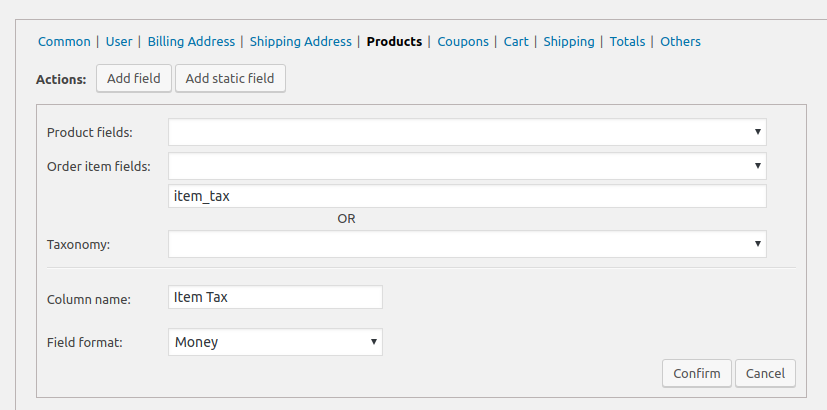
3. Click button “Add Field”
4. Type custom meta key in text box (below the selects)
5. Fill “Column name”
5. Press button “Confirm”
In my example, I use “item_tax” as meta key on the screenshot
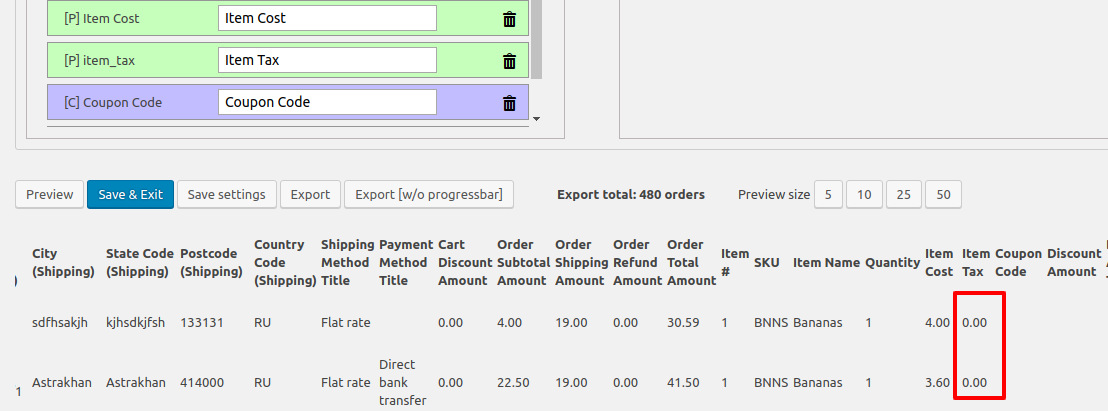
Then I moved new field from right column to left column (list of exported fields), pressed button “Preview” and see the zero values.
Step 2: Add the Calculation Code
Then create a calculating function:
1. Close section “Setup fields” and open section “Misc Settings” (above it)
2. Mark checkbox “Custom PHP code to modify output”
3. Paste following draft function to the textarea
|
1 2 3 4 |
add_filter('woe_get_order_product_value_FIELD', function ($value, $order, $item, $product,$item_meta) { $value = "text"; return $value; }, 10, 5); |
4. replace FIELD with your meta key (see 1st phase) .
5. replace $value = “text”; with your code.
Parameters You Can Use
$value is string
$order is WC_Order object
$item is WC_Order_Item_Product object
$product is WC_Product object
$item_meta is associative array
Real Example – Calculate Tax Per Item
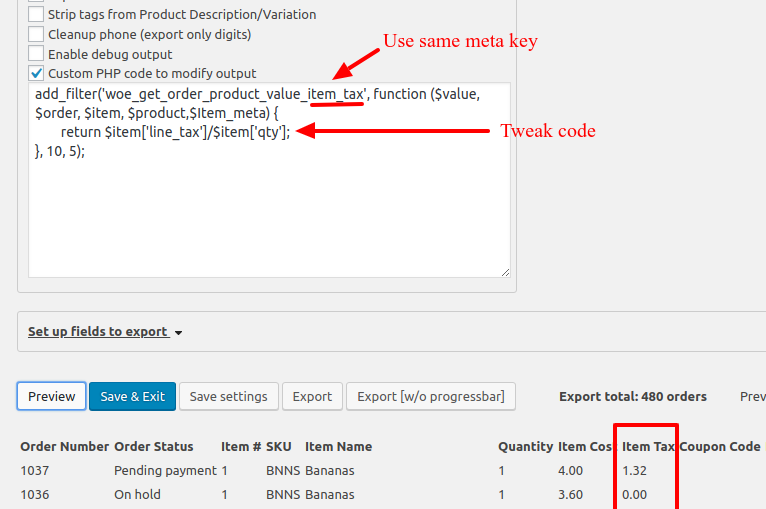
In this example, I use meta key “item_tax” and following code to calculate tax per item
|
1 |
$value = $item['line_tax']/$item['qty']; |
I pressed button “Preview” and got necessary values
Debugging
If button “Preview” has no effect, there is an error in the code!
Check Enable debug output in Misc Settings. Run preview again. PHP errors appear.
Common mistakes:
- Wrong meta key (misspelled)
- Missing semicolon at line end
- Dividing by zero ($item[‘qty’] = 0)
- Using wrong variable names