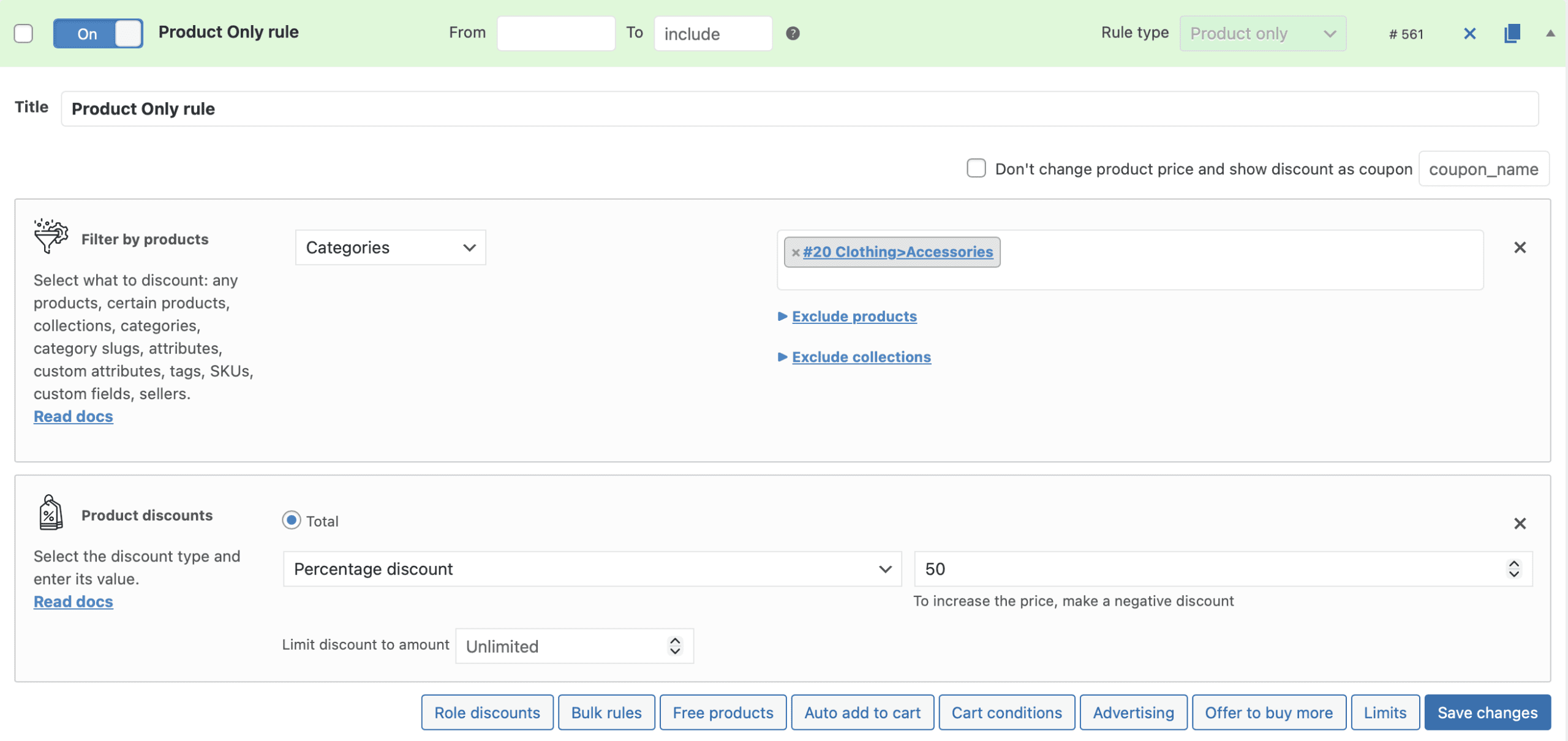
The Product Only rule type is a high-performance mode for simple pricing rules that work from a pre-built cache rather than calculating prices in real time on every page load. If your store has a large number of rules and you want to add another simple product discount without affecting site performance, the Product Only type gives you that option — with some trade-offs in flexibility.
When to consider this: Advanced Dynamic Pricing automatically shows a notification suggesting you enable Product Only rules when your rule count exceeds 30. This is the most common trigger for switching to this rule type.
How to Enable Product Only Rules
Go to Advanced Dynamic Pricing → Settings → Rules and turn on “Support Product Only rules”. Once enabled, you can assign the Product Only type to any new or existing rule from within the rule editor.
How It Works
Standard (“Common”) rules run the full pricing engine on every page load — evaluating all conditions, filters, and discount logic dynamically for each request. Product Only rules skip this process. Instead, the plugin pre-calculates the prices and stores them in a database cache. When a customer visits a product page or shop page, the plugin reads the cached price directly rather than recalculating it, which makes price display significantly faster for products covered by these rules.
The trade-off is that Product Only rules execute with the highest priority among all rule types. If a product has both a Common rule and a Product Only rule targeting it, only the Product Only rule fires — the Common rule gets ignored completely. If you create multiple Product Only rules targeting the same product, only the first one in the list applies.
Available Sections
Product Only rules support a limited set of rule sections compared to Common rules. The following sections are available:
Product Filter
Product Discount
Bulk Discount
Free Products
Auto Add to Cart [PRO]
Cart Conditions
Discount Message [PRO]
Limits
Complex configurations are not available in this rule type. You cannot create product bundles with two or more products, and the functionality within each section is restricted to its simplest form. If your rule requires advanced logic — cross-product conditions, cart-level adjustments, or complex product sets — use a Common rule instead.
Important: Variable Products and Bulk Rules
Product Only bulk rules behave differently from Common bulk rules for variable products. When a Product Only bulk rule targets a variable product, the plugin calculates the quantity threshold per variation rather than across all matched variations combined. This means a customer adding three units of Variation A and two units of Variation B does not reach a combined quantity of five — the plugin counts each variation independently. If your bulk tiers depend on combined quantities across variations, use a Common rule instead.
Recalculating the Cache
Because Product Only rules read from a cache, changes you make to a rule do not apply automatically until you regenerate that cache. After saving any change to a Product Only rule, you must trigger a cache recalculation manually:
Go to Advanced Dynamic Pricing → Rules.
Open the action dropdown above the search bar.
Select “Recalculate Product Only Rules Cache”.
Click Run.
Skip this step and your customers continue to see the previous cached prices until the next recalculation runs.
Converting Existing Rules to Product Only
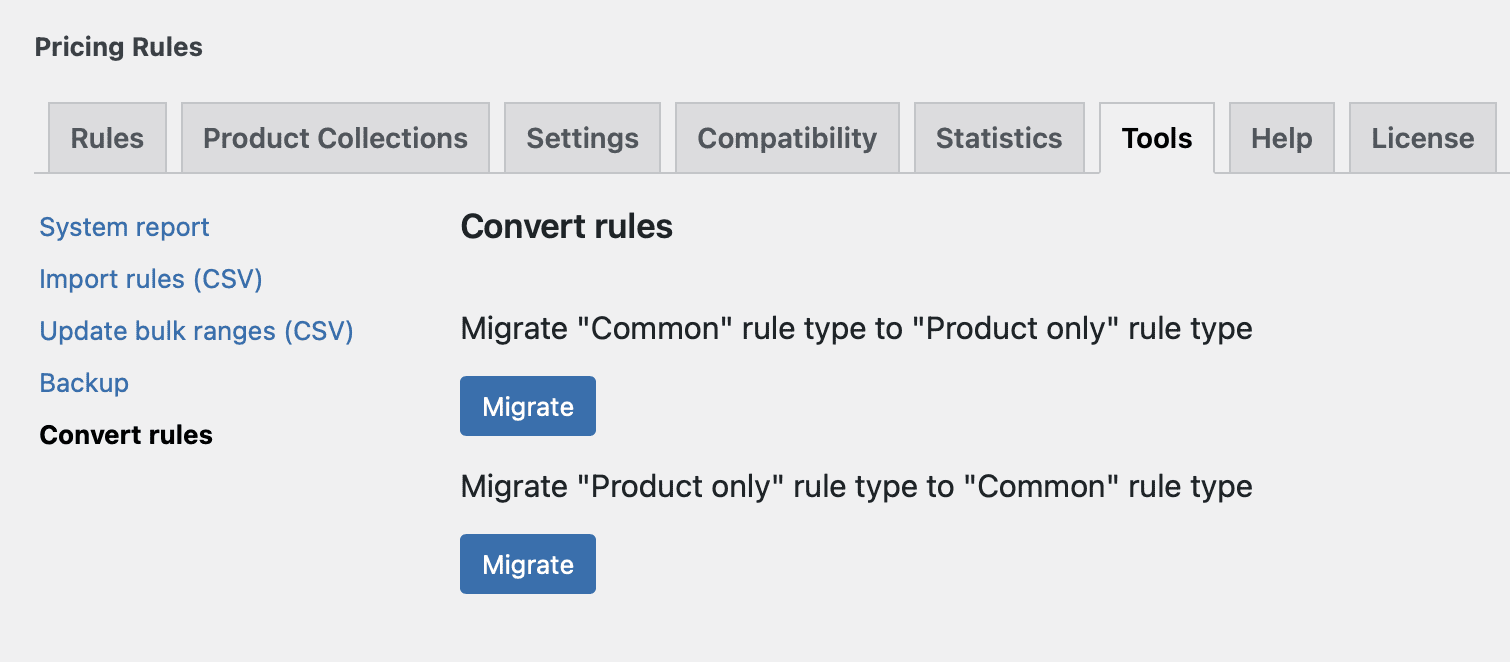
You don’t need to rebuild your current rules from scratch to switch them to the Product Only type. The Convert Rules tool migrates your existing Common rules to Product Only automatically.
Go to Advanced Dynamic Pricing → Tools → Convert Rules, select the rules you want to convert, and run the conversion. Review each converted rule afterwards to confirm the simplified functionality covers everything your original rule did — any features outside the supported section list will not carry over.
Use Product Only rules when your store has a high rule count (30+) and you want to add simple product-level discounts — percentage off, fixed price, or basic bulk tiers — without adding further real-time calculation overhead. They suit straightforward promotions on individual products or categories where no complex conditions or cross-product logic applies. Avoid them when a rule needs to interact with cart totals, combined variation quantities, or product bundles.
Have questions?
Please submit a support request. We're always happy to help!