Sales badges for the WooCommerce page blocks
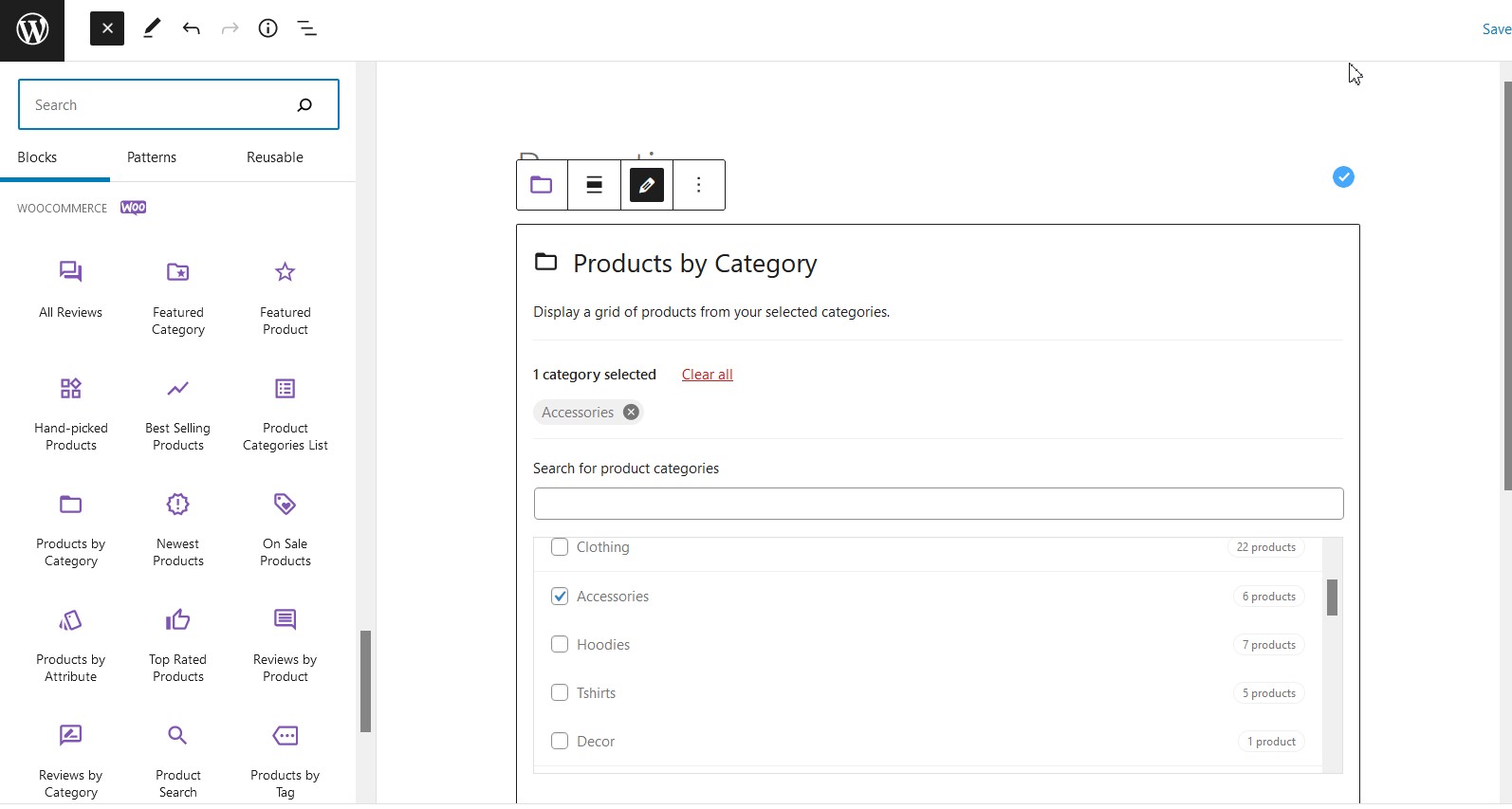
WooCommerce offers a modern block-based page builder experience through its native Gutenberg blocks (e.g. All Products, Featured Products, Hand-picked Products). However, because these blocks render product grids differently from classic WooCommerce shortcodes and PHP templates, Advanced Dynamic Pricing for WooCommerce sale badges are not automatically displayed when you build pages this way.
This article explains why this happens and provides a ready-to-use snippet that restores full sale badge support for WooCommerce block-based product grids.
Prerequisites
Before applying the code below, make sure Advanced Dynamic Pricing for WooCommerce is updated to the latest version. Older versions of the plugin do not fully support the WooCommerce Blocks rendering pipeline, so the snippet may not work correctly without this update.
To update: go to Dashboard → Updates in your WordPress admin and apply any available plugin updates.
Code Sample
Add the following snippet to your theme’s functions.php or the Code Snippets plugin:
|
1 2 3 4 5 6 7 8 9 10 11 12 13 14 15 16 17 18 19 20 21 22 23 24 25 |
add_filter( 'woocommerce_blocks_product_grid_item_html', function ($html, $data, $productC) { global $product; $product = $productC; ob_start(); woocommerce_show_product_loop_sale_flash(); $data->badge = ob_get_contents(); ob_end_clean(); return "<li class="wc-block-grid__product"> <a href="{$data->permalink}" class="wc-block-grid__product-link"> {$data->image} {$data->title} </a> {$data->badge} {$data->price} {$data->rating} {$data->button} </li>"; }, 10, 3 ); |
Code Explained (for Developers)
Hook registration
| Element | Description |
|---|---|
woocommerce_blocks_product_grid_item_html | A filter hook provided by WooCommerce Blocks. It fires for every product rendered inside a block-based product grid (e.g. All Products block) and allows full replacement of the item’s HTML output. |
$html | The default HTML string generated by WooCommerce Blocks for this product grid item. Returned as-is if no changes are made. |
$data | A stdClass object containing pre-rendered HTML fragments for each part of the product card: permalink, image, title, badge, price, rating, and button. |
$productC | The WC_Product object for the current product in the grid. Named $productC here to avoid immediate conflict with the global $product variable. |
10, 3 | Hook priority 10 (standard); 3 means the callback accepts three arguments — $html, $data, and $productC. |
Inside the callback
| Element | Description |
|---|---|
global $product; | Declares access to the global $product variable used throughout WooCommerce’s template system. |
$product = $productC; | Sets the global $product to the current block product. This is required because woocommerce_show_product_loop_sale_flash() reads from the global $product internally — without this assignment it would either use the wrong product or produce no output. |
ob_start() | Starts output buffering — captures any HTML echoed by subsequent functions instead of sending it directly to the browser. |
woocommerce_show_product_loop_sale_flash() | The standard WooCommerce function that renders the sale badge HTML for the current $product. In classic loops this runs automatically; in block-based grids it must be called manually. |
$data->badge = ob_get_contents() | Retrieves the buffered HTML output (the rendered sale badge) and assigns it to $data->badge, making it available for injection into the returned HTML string. |
ob_end_clean() | Ends output buffering and discards the buffer — since we’ve already captured the content into $data->badge, the buffer is no longer needed. |
The returned HTML structure
The function returns a fully reconstructed <li> element for the product grid item. The key change versus the default WooCommerce Blocks output is the addition of {$data->badge} — placed between the product link and the price, which matches the standard WooCommerce sale badge position:
|
1 2 3 4 5 6 7 8 9 10 |
<li class="wc-block-grid__product"> <a href="{permalink}" class="wc-block-grid__product-link"> {image} {title} </a> {badge} <!-- Sale badge injected here --> {price} {rating} {button} </li> |
Key concept: WooCommerce Blocks renders product grids outside the standard WooCommerce PHP template loop. Because of this, hooks like
woocommerce_before_shop_loop_item_titleand functions likewoocommerce_show_product_loop_sale_flash()do not fire automatically. This snippet manually bridges that gap by reconstructing the product card HTML with the sale badge included.
Why Are Sale Badges Missing in WooCommerce Blocks?
Classic WooCommerce shortcodes (like [products]) and PHP templates (like content-product.php) rely on a standard WordPress loop where hooks fire in a predictable sequence. WooCommerce Blocks bypasses this loop entirely and uses a JavaScript/REST API rendering pipeline. As a result:
- Standard WooCommerce template hooks do not fire inside block-rendered grids.
- Functions like
woocommerce_show_product_loop_sale_flash()are never called unless explicitly triggered. - The
$data->badgeproperty in block output is empty by default — it must be populated manually.
This snippet solves all three issues in one place.
How to Apply This Code
- Open Appearance → Theme File Editor in your WordPress admin, or open the Code Snippets plugin.
- Paste the snippet into your active theme’s
functions.php, or create a dedicated snippet. - Save and navigate to a page built with WooCommerce Blocks that contains discounted products.
- Verify that sale badges now appear on products that have active pricing rules or native WooCommerce sale prices set.
⚠️ If badges still don’t appear after applying the snippet, double-check that:
- Advanced Dynamic Pricing is updated to the latest version.
- The products have active pricing rules or a WooCommerce sale price set.
- You are using a WooCommerce Block (like All Products), not a shortcode or classic widget.
⚠️ Editing
functions.phpdirectly can be overwritten during theme updates. A child theme or the Code Snippets plugin is the safer long-term approach.
When Should You Use This?
- You build shop or landing pages using WooCommerce Gutenberg blocks (All Products, Featured Products, etc.) and sale badges are not appearing.
- You use Advanced Dynamic Pricing rules to apply discounts and want the sale badge to reflect those rules on block-rendered pages.
- Your theme uses the block editor as the default page building experience and classic WooCommerce template hooks are not available.
- You migrated from a classic shortcode-based layout to blocks and lost sale badge functionality in the process.