Role Discounts
Wholesale customers see different prices than retail. Members get special rates. Employees get discounts. The Advanced Dynamic Pricing for WooCommerce plugin handles this automatically. Here’s how.

What Are Role Discounts?
Role Discount section allows you to tailor your store’s pricing based on the customer’s WordPress user role – an essential tool for B2B operations, wholesale pricing, employee programs, and membership sites. Whether you want to offer a blanket percentage off to all wholesale customers, set a fixed price for VIP members, or create complex tiered structures, this manual will walk you through every step.
It can help you manage your pricing in a more efficient and effective way. Instead of creating individual coupons or manually adjusting product prices, you can define rules that automatically apply to specific customer groups.
Common use cases:
- Wholesale customers get 20% off
- VIP members pay fixed $50 instead of $75
- Employees get $10 flat discount
- Subscribers get 15% off select categories
Choose a user role, which can get a discount, the discount type and amount.
For example, all user with role Wholesaler has a 20% discount to the products of certain seller.
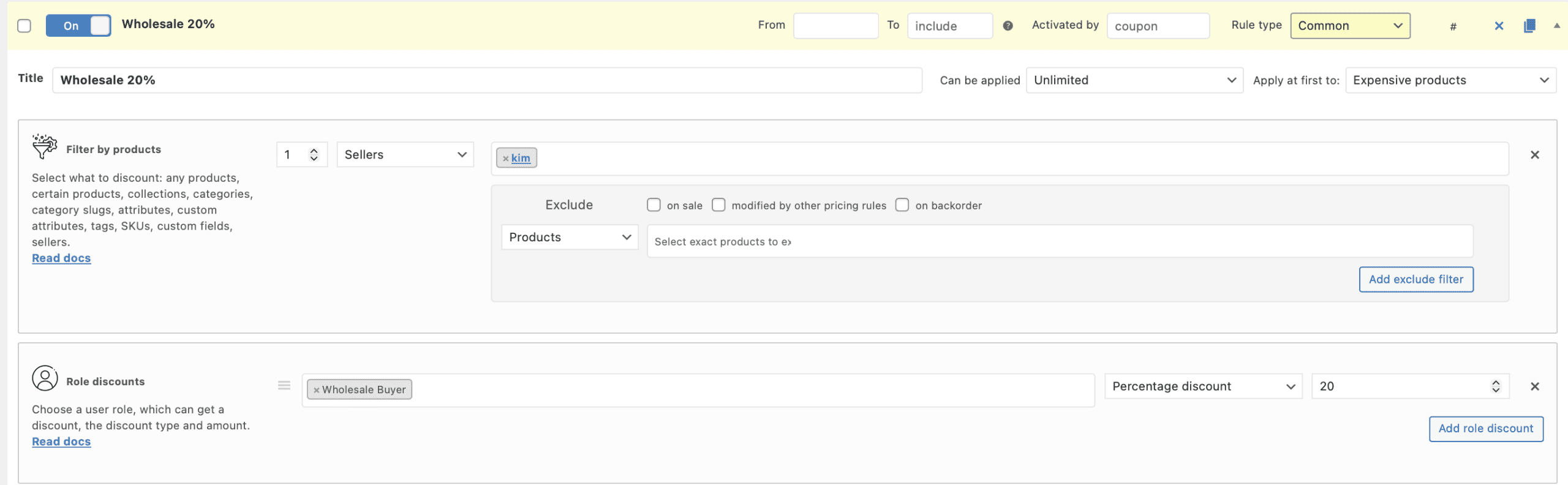
How to create a Role based discount
Step 1 – Navigate to the Pricing Rules Section
Go to your WordPress dashboard and navigate to Pricing Rules → Add New.
Step 2 – Select the “Role Discount” Template
If you are using the latest version of the plugin, you can save time by choosing the “Role discount” template. This will pre‑fill some of the settings for you.
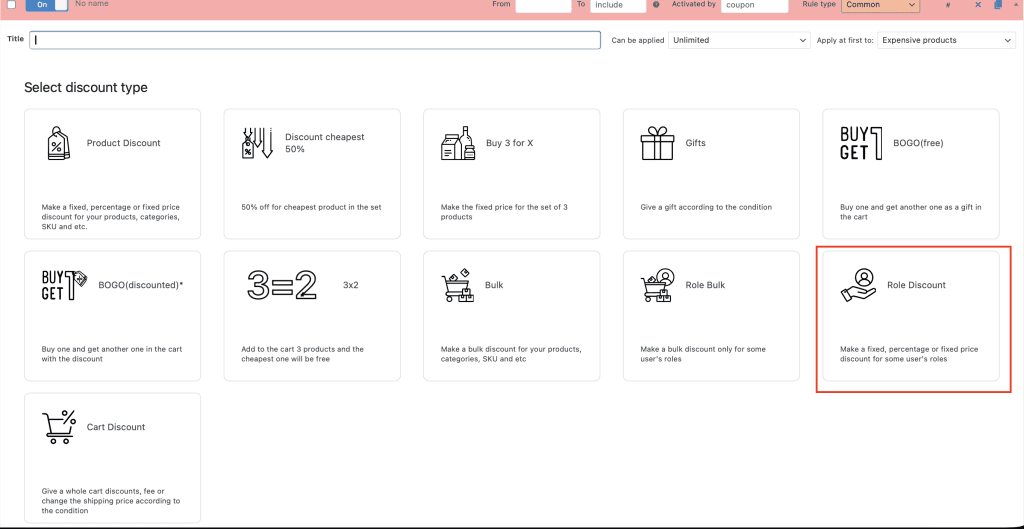
Step 3 – Configure the Rule Name and set the user role
Give your rule a descriptive name (e.g., “20% Off for Wholesalers”) and choose the role you need to discount
Step 6 – Choose the Discount Type and Amount
Select one of the three discount types. Enter the discount amount (e.g., “20” for a 20% discount).
Step 7 – Save and Enable the Rule
Click “Save changes” to store your rule. Your store will now automatically apply the discount to any product for customers with the selected role.
Discount types
Our Role Discounts feature offers three distinct ways to modify prices. Each has its own behavior and ideal use cases.
- Fixed Discount.
Subtracts a specific monetary amount from the product’s original price. Enter the discount value in your store’s currency. Best for flat‑rate savings, such as “$5 off for students” or “$20 employee discount.” - Percentage Discount.
Applies a percentage reduction to the product’s original price. Enter the discount as a whole number (e.g., “15” for 15% off). Best for the most B2B and wholesale scenarios where the discount is relative to the product’s value. - Fixed Price.
Overrides the original price with a specific amount you define. Enter the new price in your store’s currency. Best for membership sites, exclusive products, or when you want to set a hard price ceiling for a specific group.
Common Mistake
Forgetting to exclude products already discounted by other rules. Two discounts apply. Customer gets double discount. Losses add up.
Check “Exclude products modified by other pricing rules.”
Real Talk
Advanced Dynamic Pricing for WooCommerce makes role-based pricing simple. No coding. No complex conditions.
Set up once. Customers with the right role see the right prices automatically. Your wholesale operation runs smoothly. Your VIP program works flawlessly