Auto Add to Cart [pro]

Common Description
Add to the cart of the customer a product with discount automatically.
There are 3 types of property of additional products:
Also, choose the discount type (Fixed discount, Percentage discount, Fixed price) of the adding product.
Here’s an example of usage “Auto add to cart” section: buy 2 Polo T-Shirts and get a third with 50% discount. Let’s repeat this rule and consider the available values of the drop-down step-by-step:
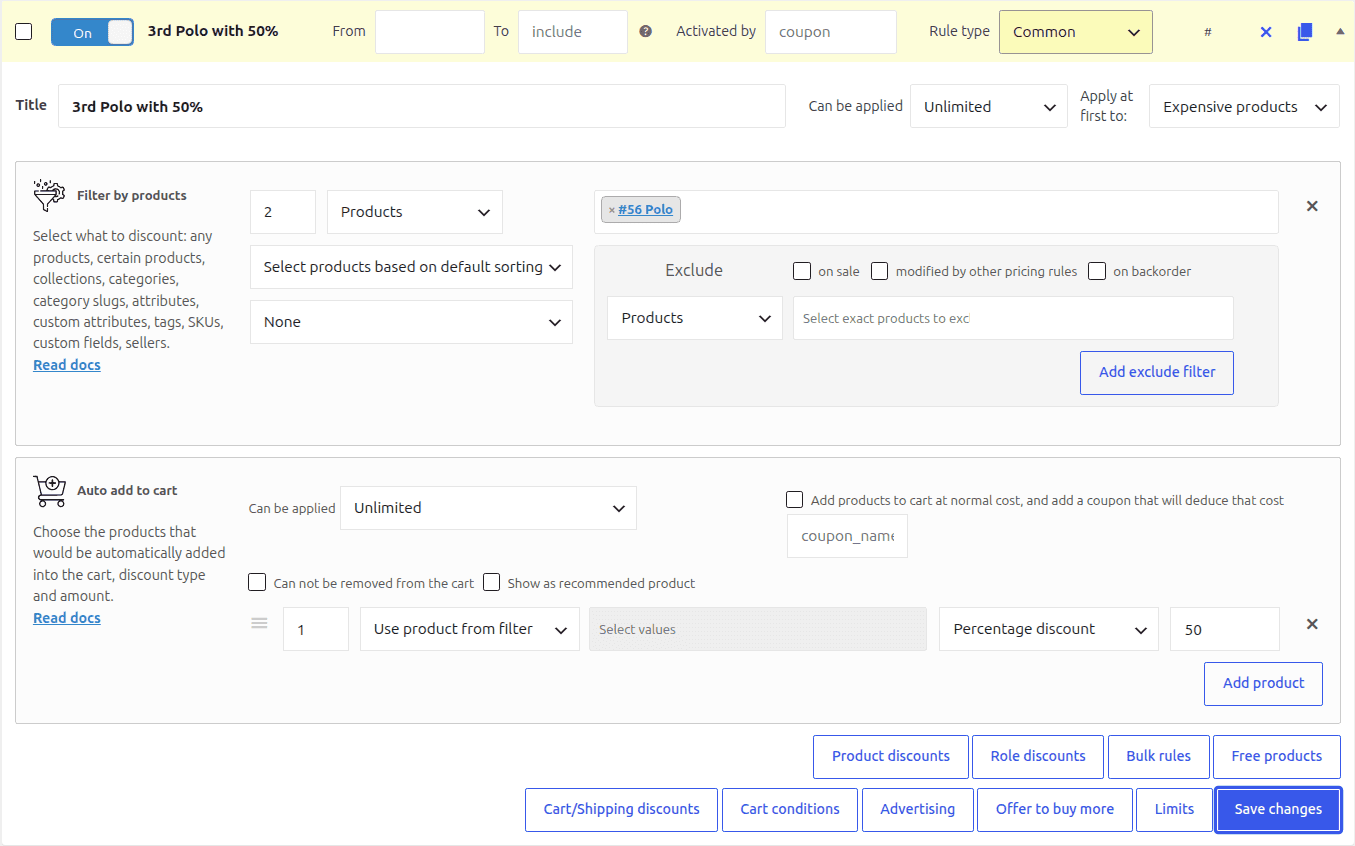
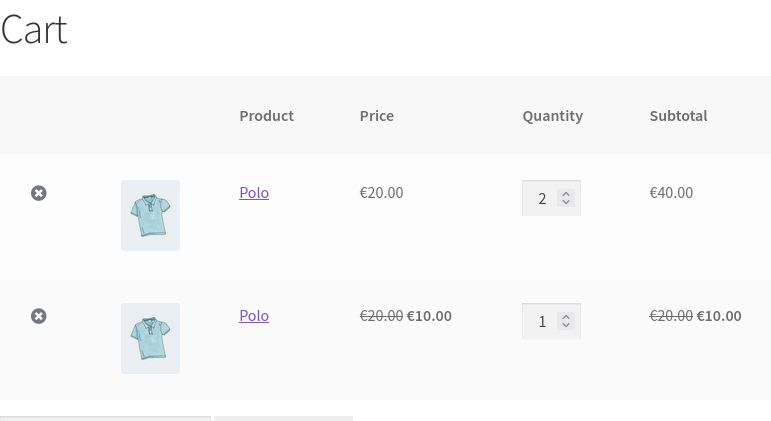
Let’s check a rule: add 2 Polo in the cart and take a look inside the cart. The third Polo was added automatically at a discounted price. Great!
Recommended product
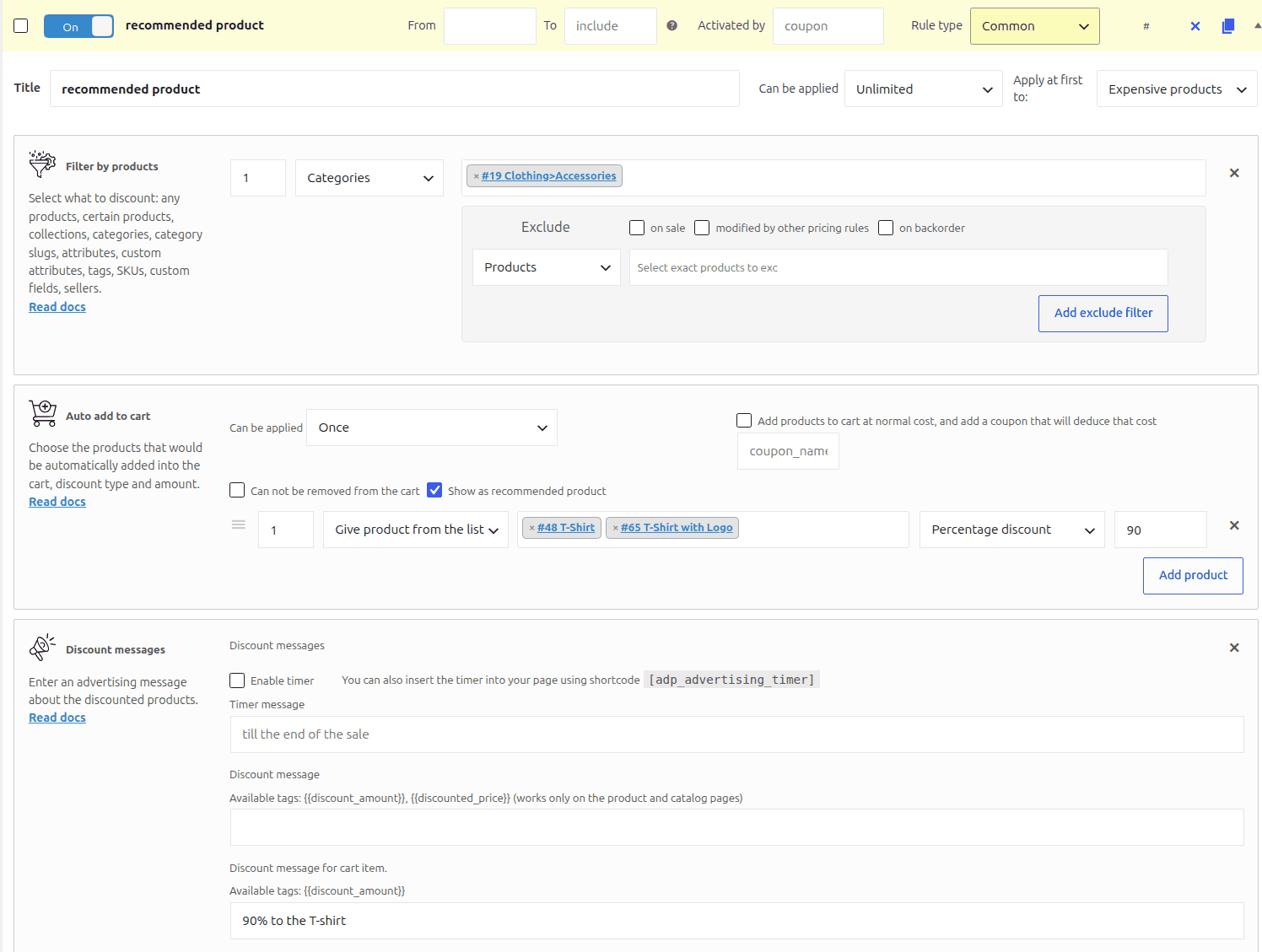
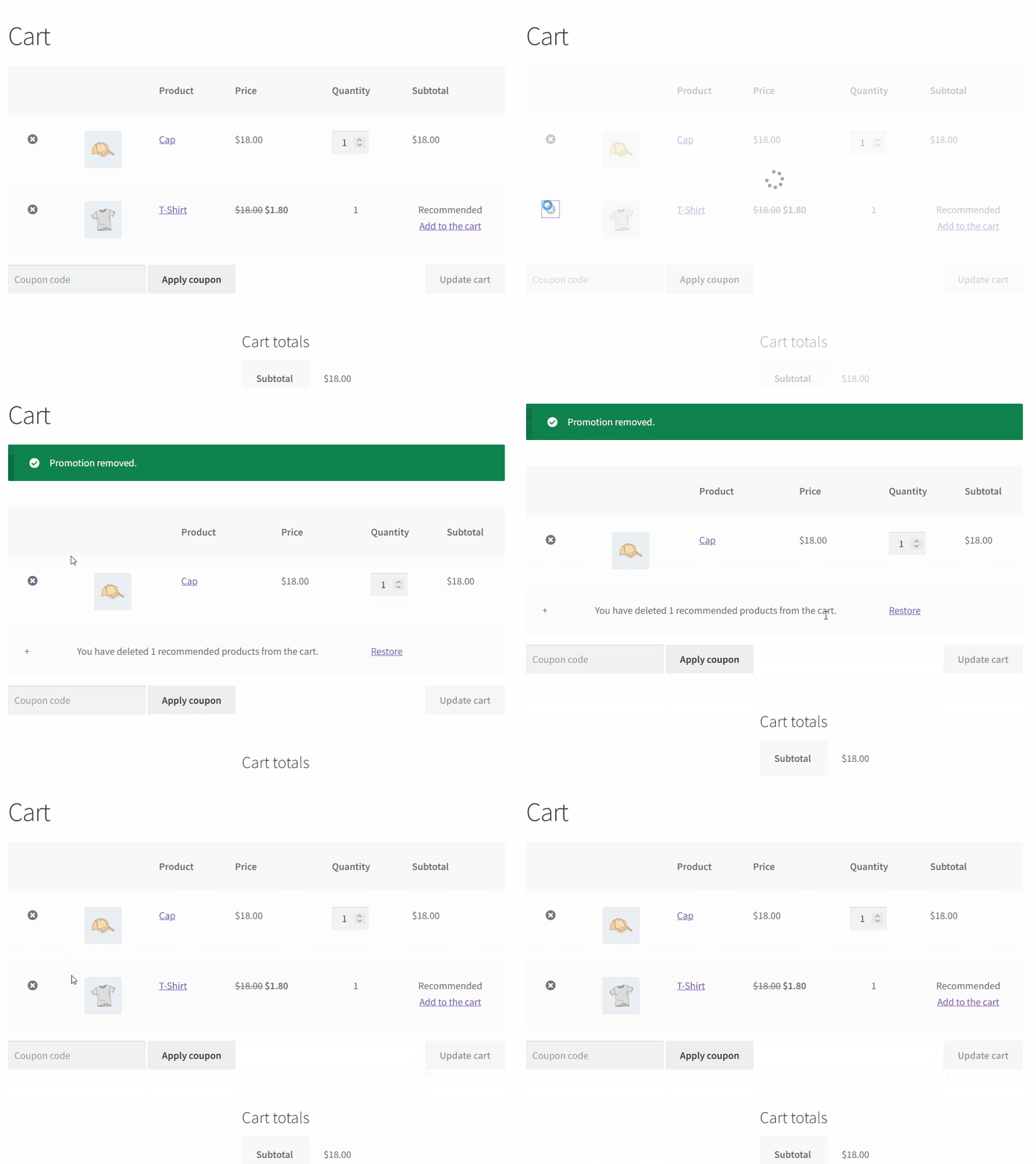
The “Recommended product” option add the selected in the filter product as recommended to the cart, but user must to click “Add to cart” link to add this product to the order. Just tick the checkbox “Show as recommended product“.
Let’s consider an example. You have an example rule: “Buy any product from the category “Accessories” and get a T-Shirt with 90% discount”.
The user adds any accessory to the cart and get a recommended product as an offer. To add the recommended product to the cart, the user needs to click the link “Add to the cart”.
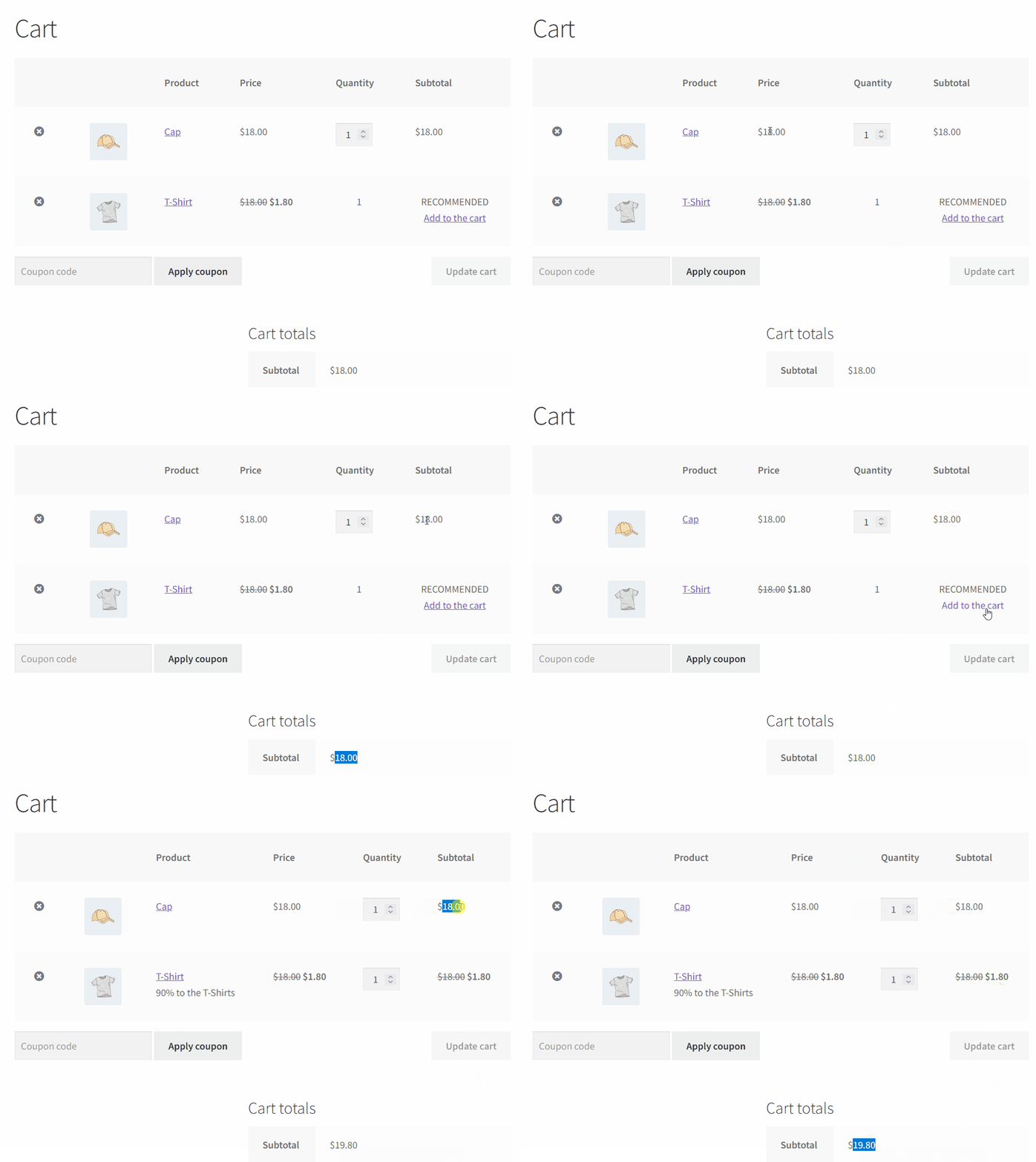
If the offer is not relevant, the user can delete or ignore it.
Advanced Dynamic Pricing for WooCommerce auto-add feature is a very useful feature for the countries where the auto adding products to the cart is restricted by the law.