New Customer [pro]
The Phone Orders for WooCommerce plugin lets you create customer accounts on the fly. Here’s how to configure it.
Basic Controls
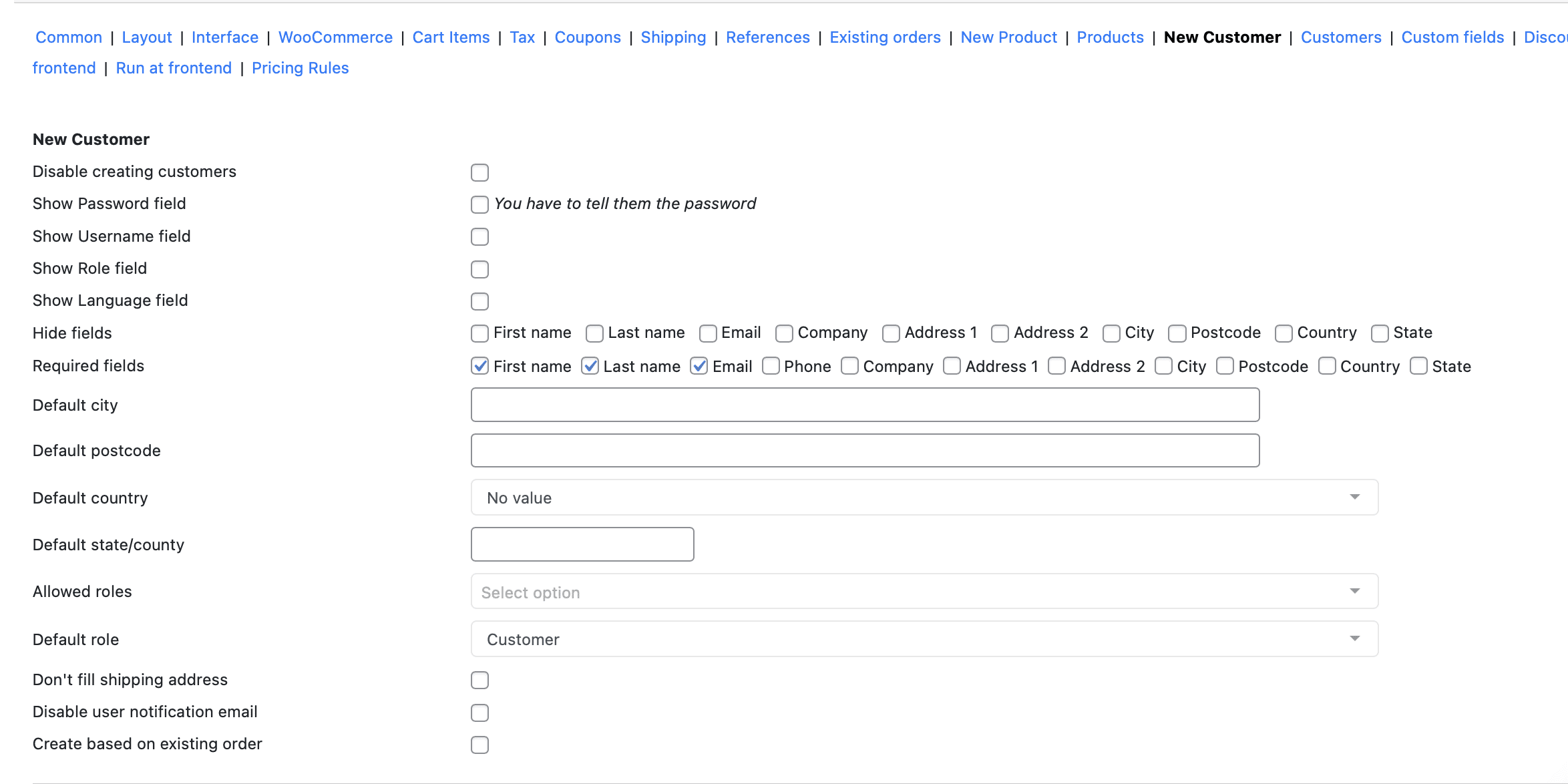
Disable creating customers. Restrict to create a new customers from the Phone Orders
Show Password/Username/Role/Language field. Tick the checkbox near the field you want to add for the creating new customer. Note: if you tick a “Password” field, you need to tell the password to the customer.
Hide Fields
Hide fields. Tick any fields you want to hide from the creation form:
- First name
- Last name
- Company
- Address 1
- Address 2
- City
- Postcode
- Country
- State
Cleaner form. Less data entry.
Required Fields
Required fields. Tick the required fields while creating the new customer (First name, Last name, Email, Phone, Company, Address 1, Address 2, City, Postcode, Country, State).
Default Values
Default city. Pre-fills city for all new customers. Saves time if all customers are local.
Default postcode. Pre-fills postal code.
Default country. Pre-fills country.
Default state/county. Pre-fills state or county.
Roles and Permissions
Allowed roles. Select the allowed roles for the new customers.
Default role. Choose the default role for the new customer.
Address Behavior
Don’t fill shipping address. This parameter allows you not to save the values of the “Billing address” fields for the “Shipping address” fields in the user profile when creating a new customer.
Email Notifications
Disable user notification email. Tick this option not to send to the customer a user’s notification email.
Create Based on Existing Order
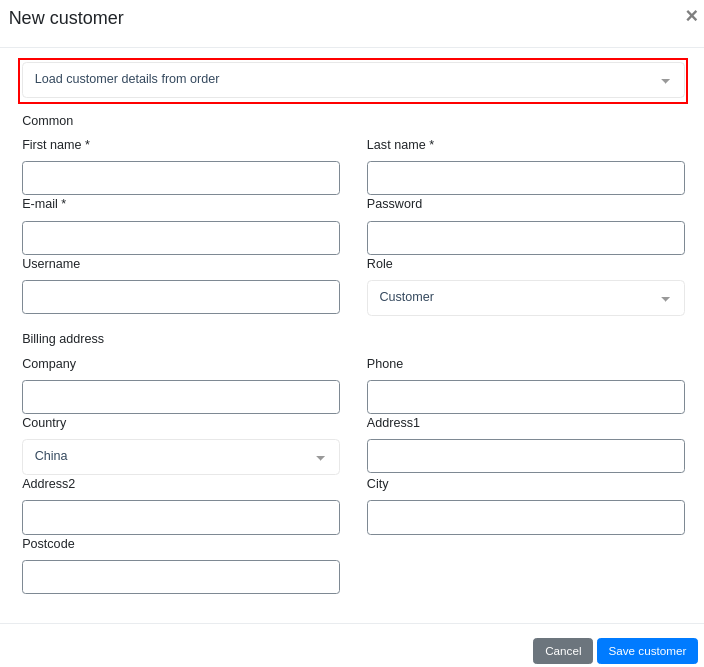
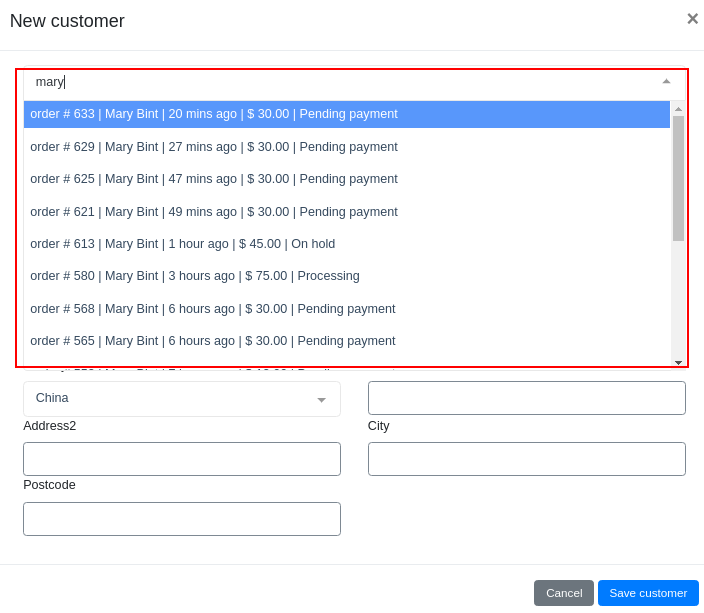
The “Create based on existing order” parameter adds the ability to create a new customer based on already created orders
Pro Tip
For most phone order scenarios:
- Require: First name, Last name, Email
- Hide: Password (auto-generate)
- Default role: Customer
- Enable “Create based on existing order”
Staff creates accounts in 30 seconds. No typing errors.
Common Mistake
Enabling “Show Password field” but not telling the customer. They can’t log in. Always communicate passwords.
Also, disabling user notification email without giving the password verbally. Customer never receives login details.
Real Example
Customer calls: “I want to order but don’t have an account.”
Staff clicks “New customer.” Enters name and email. Leaves password unchecked (auto-generated). Saves.
Order completes. Staff says: “Your account is created. I’ll email your password.” Or tells it over the phone.
Real Talk
Phone Orders for WooCommerce makes account creation seamless. No more “go to the website and register first.”
Customer stays on the phone. Account gets created. Order gets placed. One call. Everything done.