Layout
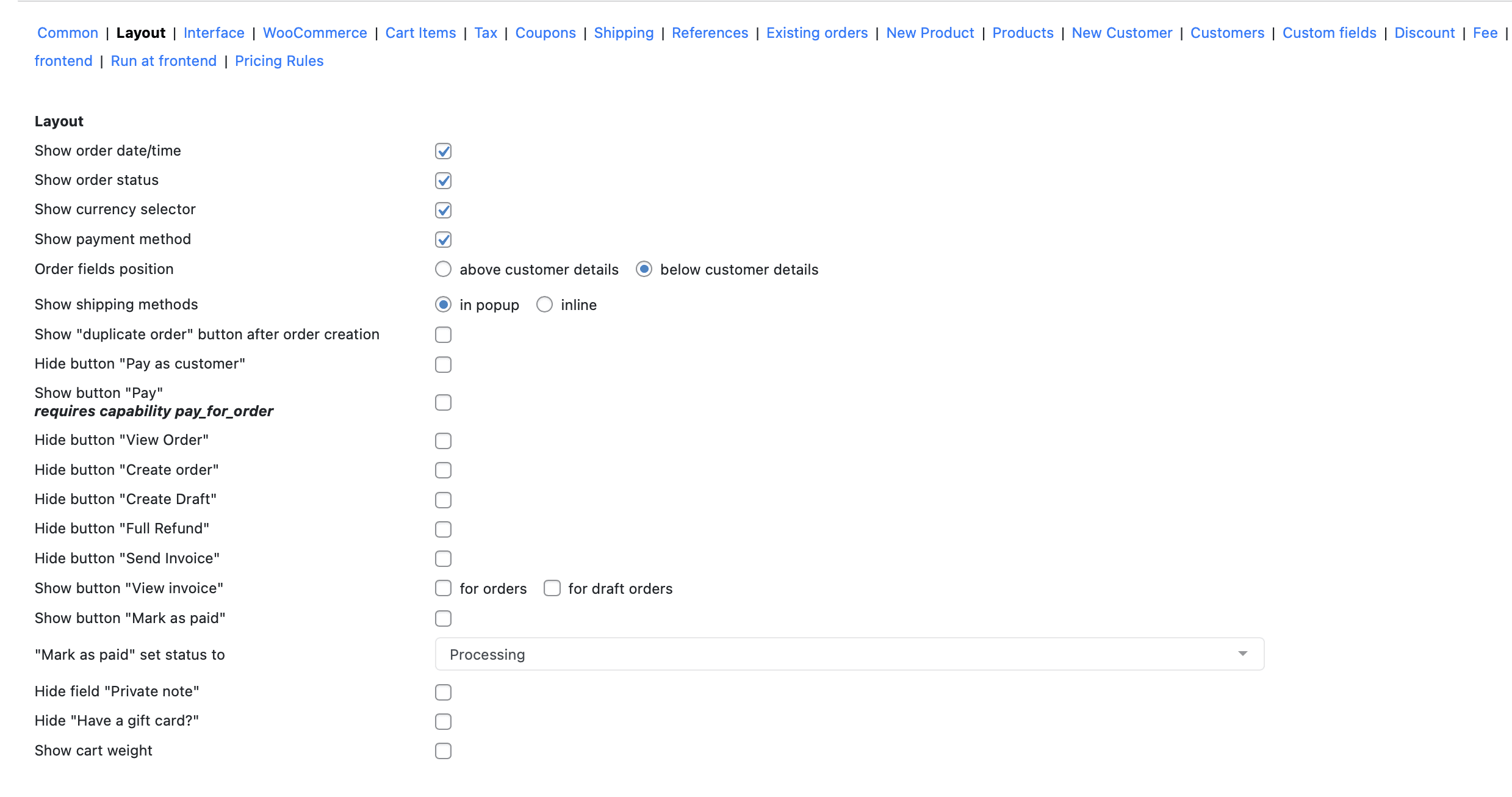
The Phone Orders for WooCommerce plugin lets you control exactly what appears. Let’s review the parameters from the “Layout” settings tab.
Order Information Section
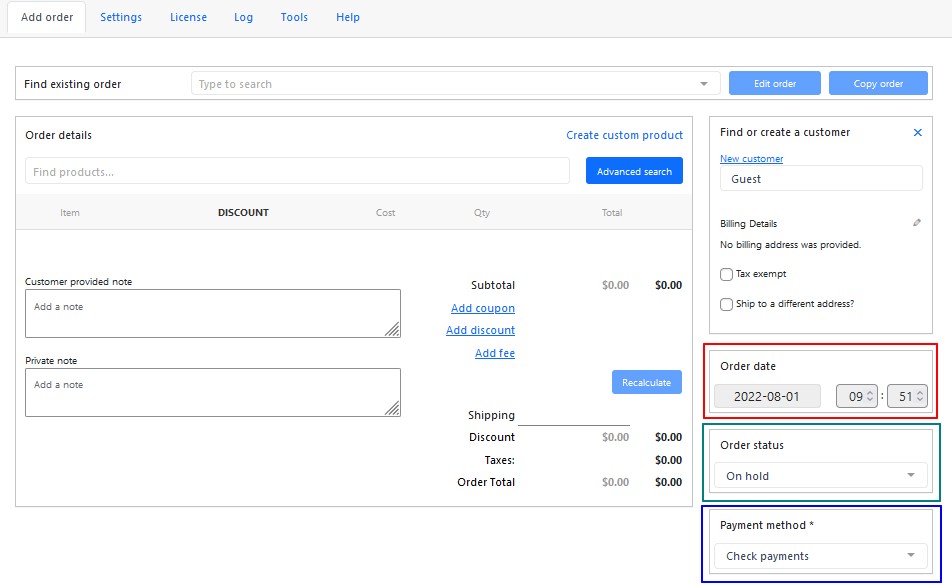
Show order date/time. Enable this option if you want to change the order’s date and time.
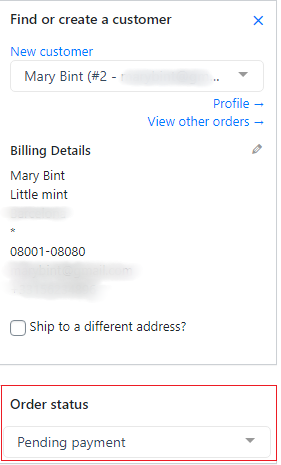
Show order status. When this parameter is enabled, the “Order status” block appears on the “Add order” tab to change the order status
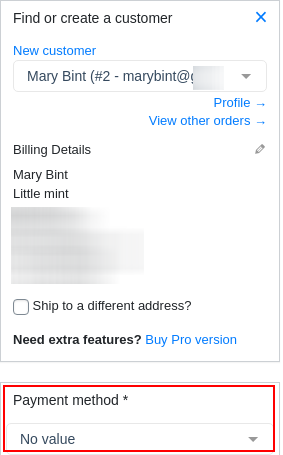
Show payment method. When this parameter is enabled, the “Payment method” block appears on the “Add order” tab to change the payment method
Order fields position. This parameter allows you to change the location of the “Show order date/time”, “Show order status”, and “Show payment method” fields in the order
Shipping Methods
Show shipping methods. Choose one of 2 radiobuttons how you want to shoe the shipping methods: in popup window or inline
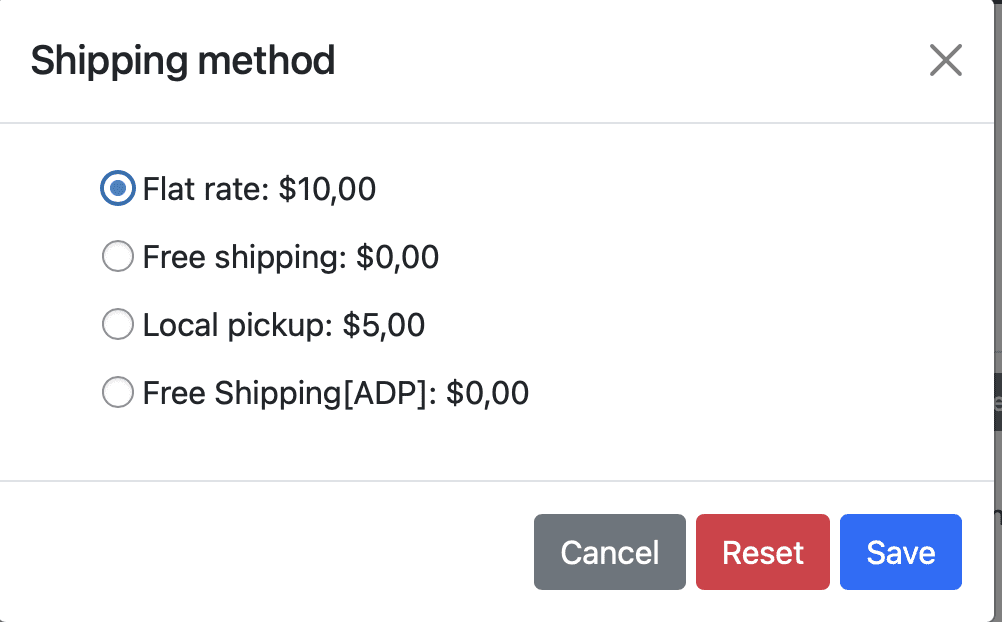
Show shipping methods in the separate popup window
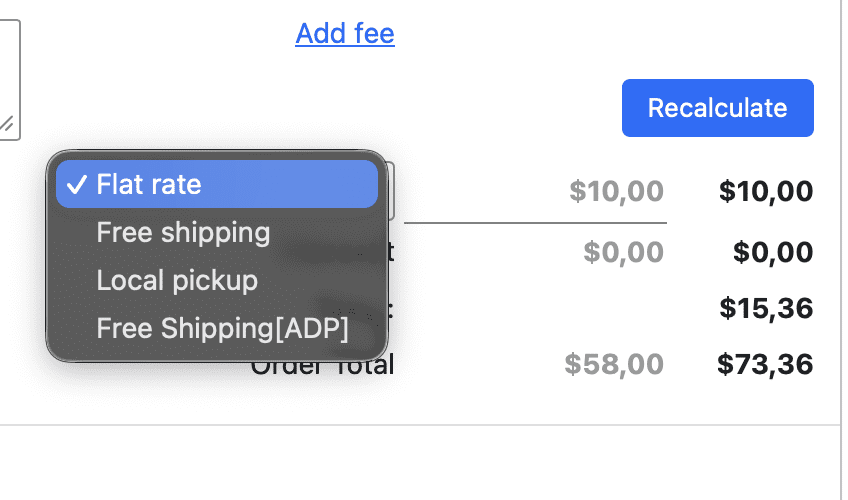
Show all the shipping methods inline in the order’s checkout
Order Creation Buttons
Show “Duplicate Order” button after order creation. Activate duplication of the created order with “Duplicate Order” button.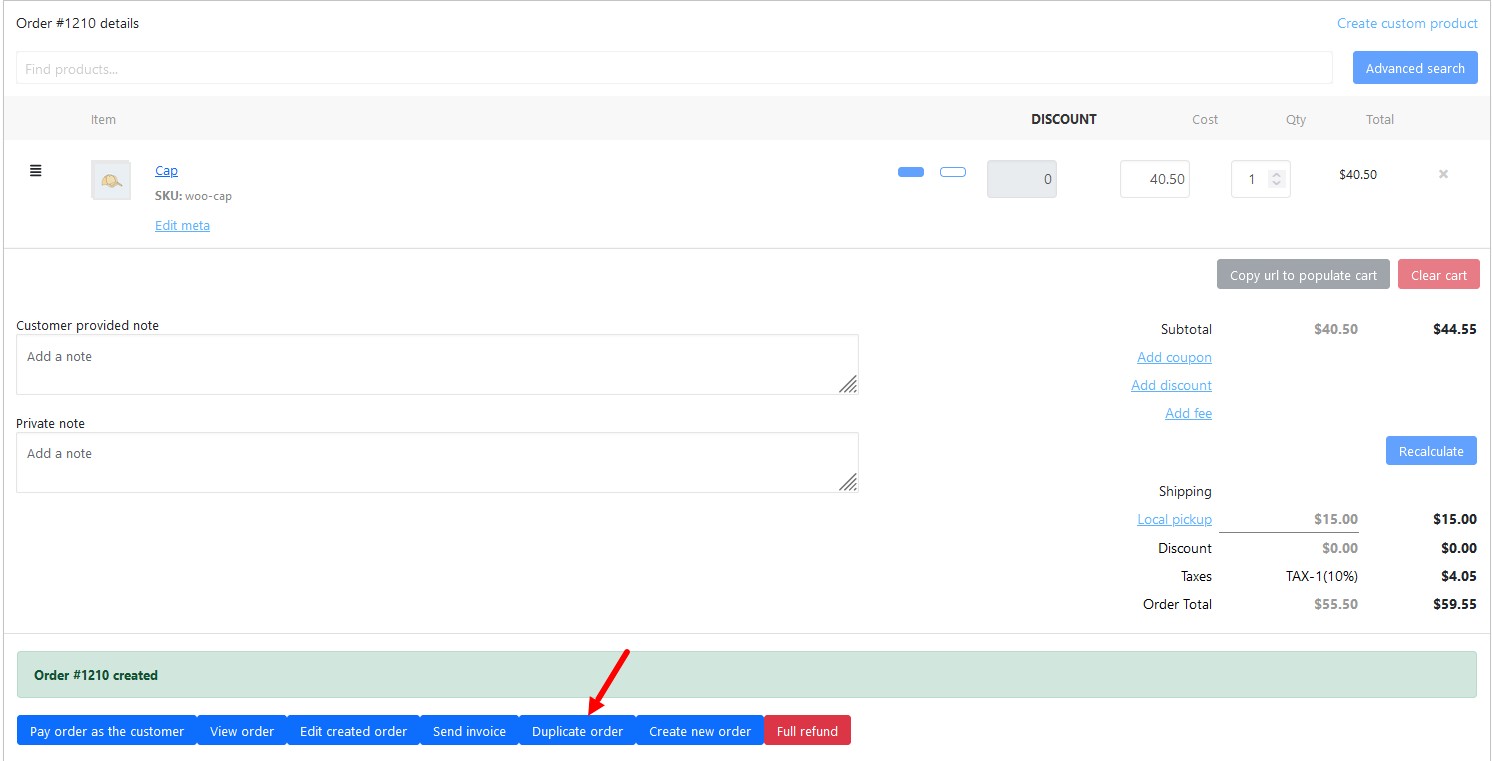
Payment and Action Buttons
Hide button “Pay as customer”. Tick this option to hide “Pay order as the customer” button on the toolbox.
Show button “Pay”. Tick this checkbox to activate the “Pay” button. Note: requires capability pay_for_order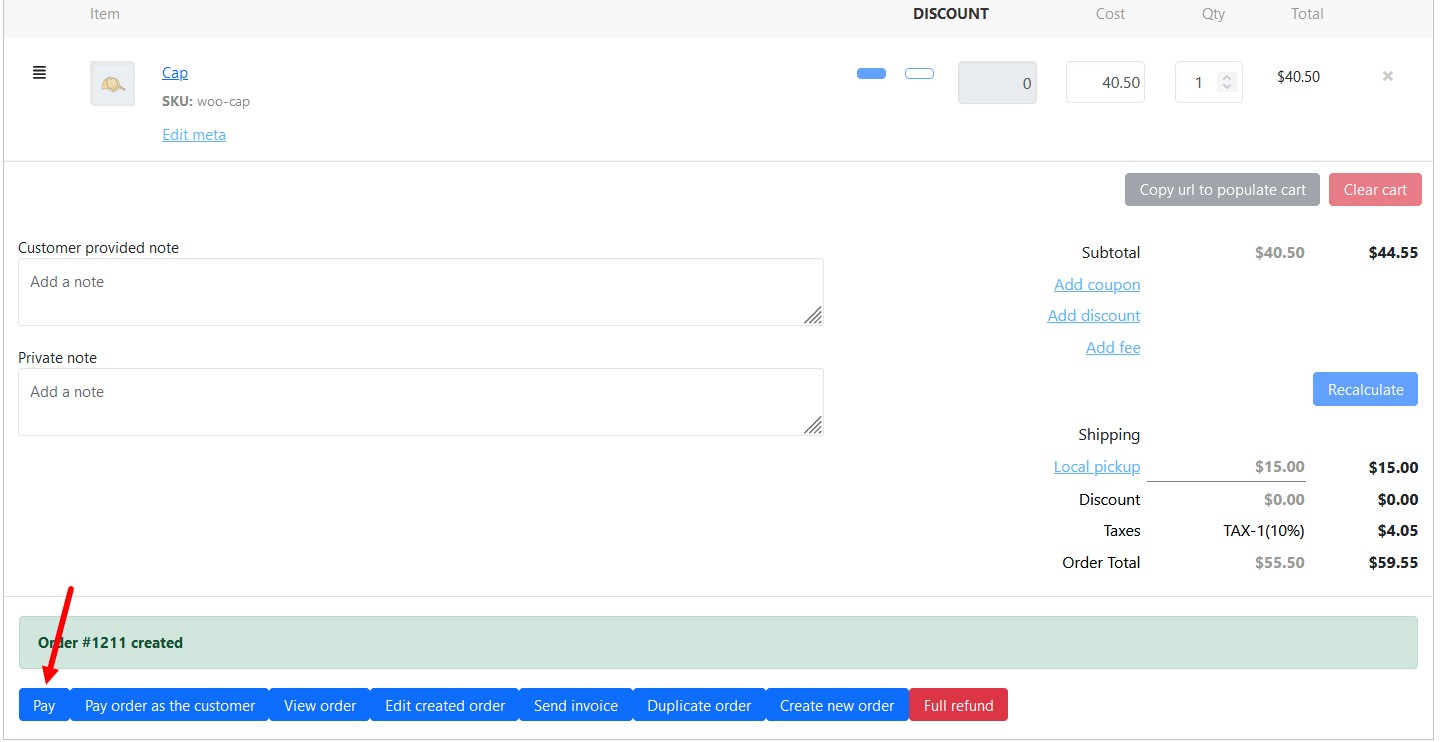
Hide button “View Order”/”Create order”/”Create Draft”/”Full Refund”/”Send Invoice”. Tick the corresponded checkbox for the hide necessary button from the toolbox.
Additional Buttons
Show button “View invoice”. Tick this checkbox to show “View invoice” button on the toolbox for orders or for draft orders.
Show button “Mark as paid” and “Mark as paid” set status to. Tick the checkbox for activate “Mark as paid” button and choose the order status after pushing the button.
Hide Optional Fields
Hide field “Private note”. Tick this checkbox to hide the “Private note” field in the subtotal section.
Hide “Have a gift card?”. Tick this checkbox to hide “Have a gift card?”.
Show cart weight. Tick this checkbox to show the cart weight.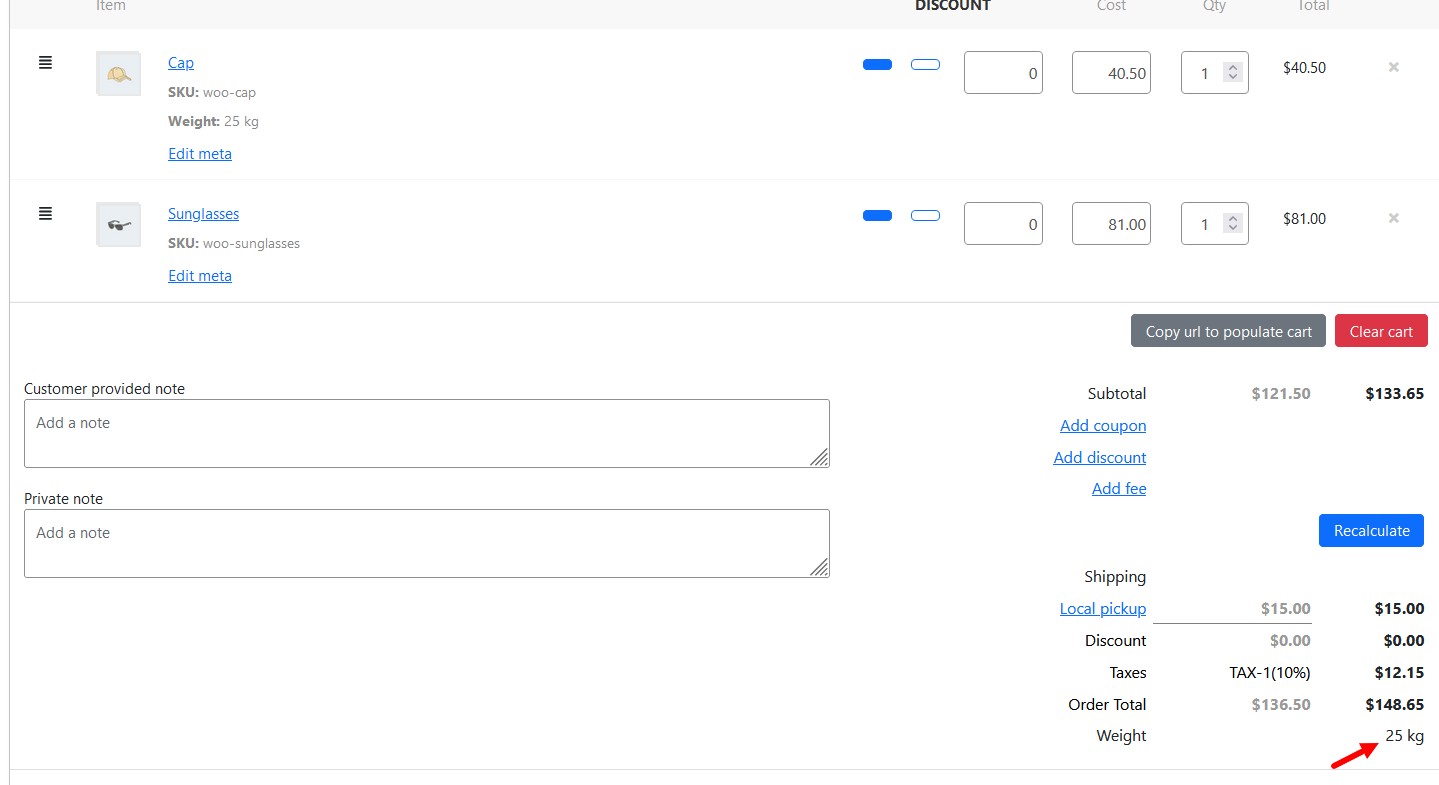
Pro Tip for Most Stores
Enable these for efficient phone orders:
- Show order status
- Show payment method
- Shipping methods: Inline (faster)
- Show duplicate order button
- Show cart weight (if shipping by weight)
Hide everything else. Clean interface. Faster order entry.
Common Mistake
Enabling too many buttons. Staff gets confused. Start minimal. Add features only when needed.
Also, hiding “Pay as customer” but needing to take payments. Know your workflow first.
Real Example
Staff creates order #1210 for a repeat customer. Clicks “Duplicate order.” All items copy over. Changes quantity from 1 to 2. Updates shipping. Order done in 30 seconds.
Without duplicate button? Staff starts from scratch. Types everything again. Takes 3 minutes.
Real Talk
Phone Orders for WooCommerce is highly customizable. Every store uses it differently.
Take 10 minutes to configure Layout settings. Your staff will thank you every single shift.