Free Products – Rules for Gifts
Select products that would be gifted to the customers.

Choose one of the option of the drop-down:
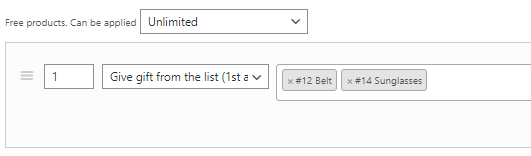
- Give gift from the list (1st available). This option allows the user to get 1st specified gift in the field.

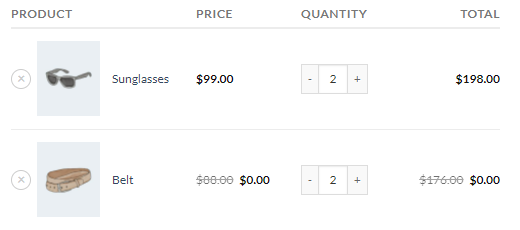
When the user adds any product in the cart, the “Belt” product always adds as a gift in the cart.
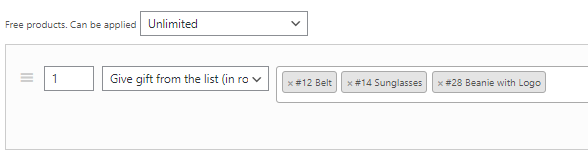
- Give gift from the list (in rotation). (PRO) This option allows the user to get all specified gifts in the field in rotation (1-2-3, 1-2-3-4 and so on).
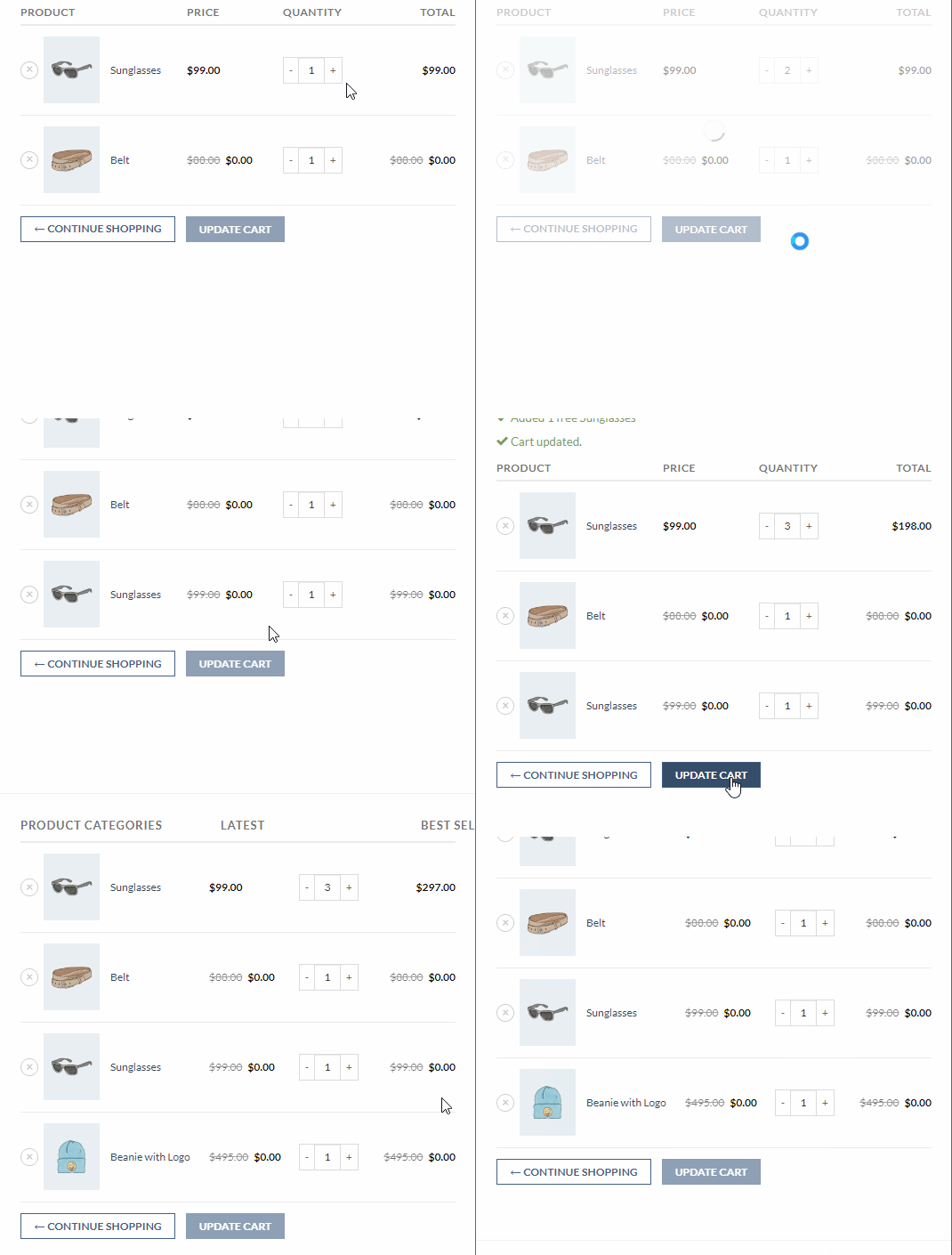
In this case, when the user adds any product in the cart, then the “Belt” gift adds first, then the sunglasses and the third – Beanie with logo. And then recursively – starting from the Belt.
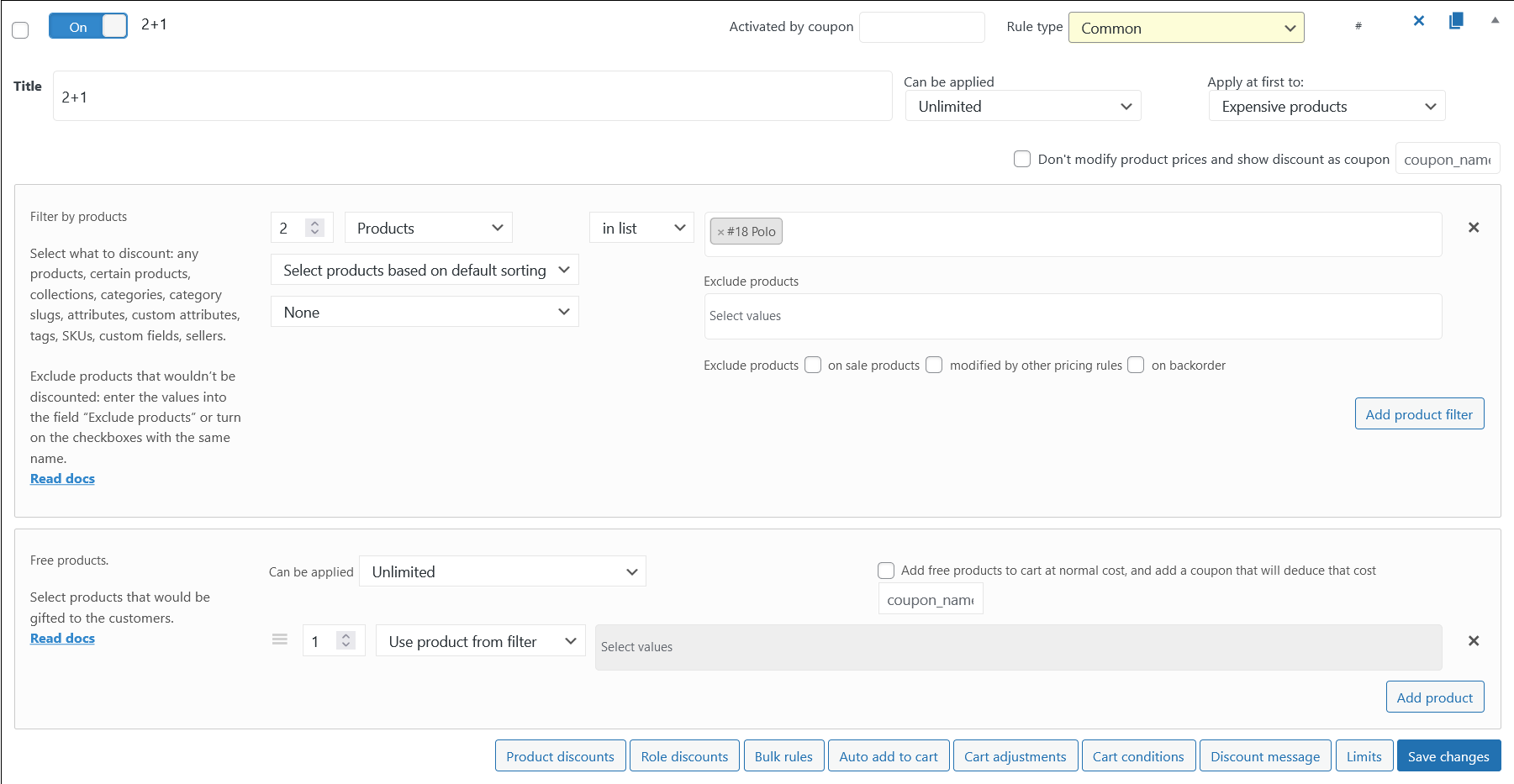
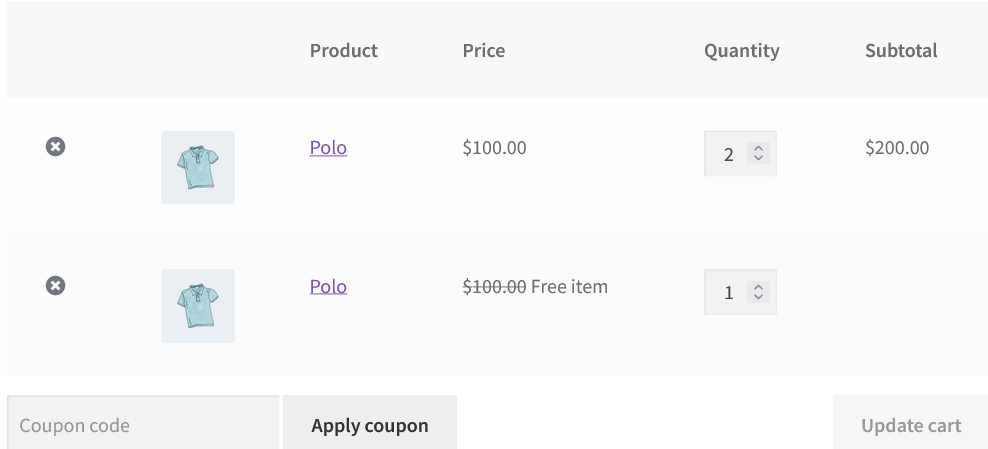
- Use product from filter. Automatically add to the cart the same product as the product filter section.
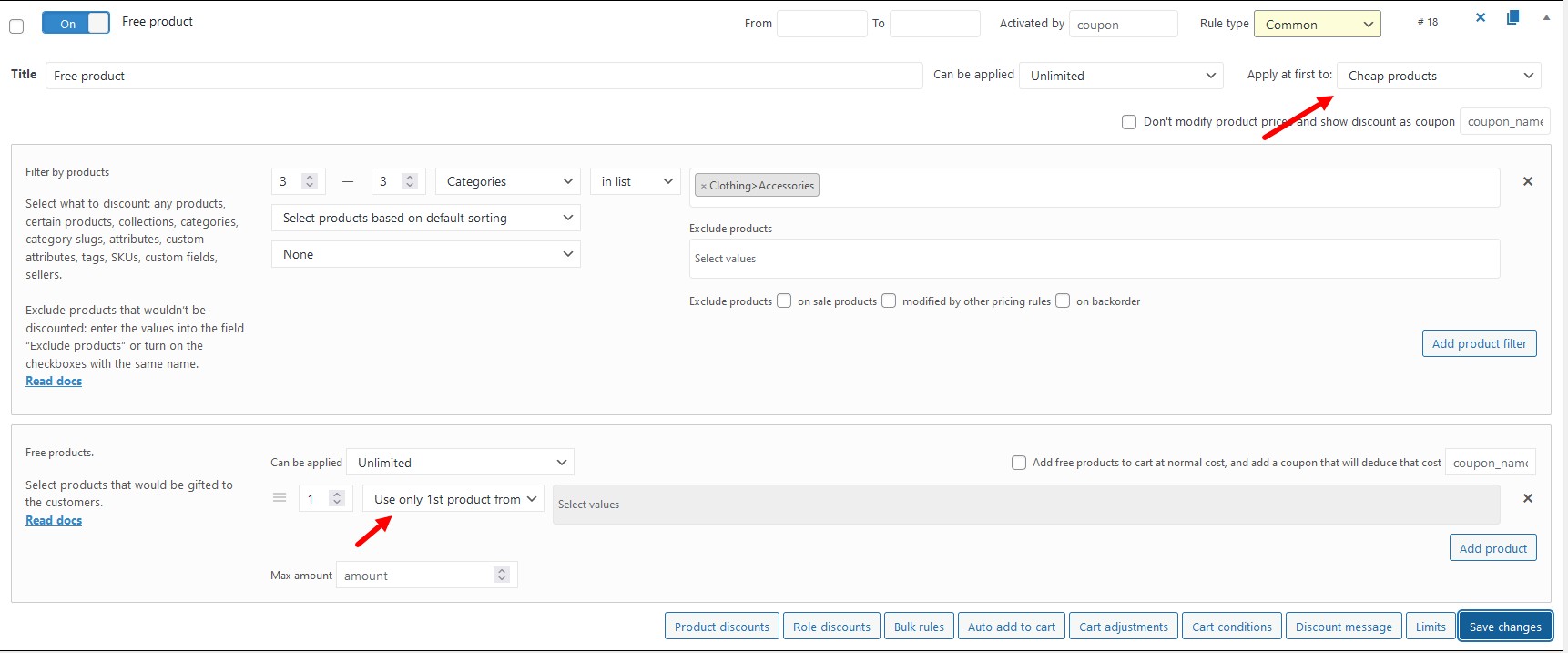
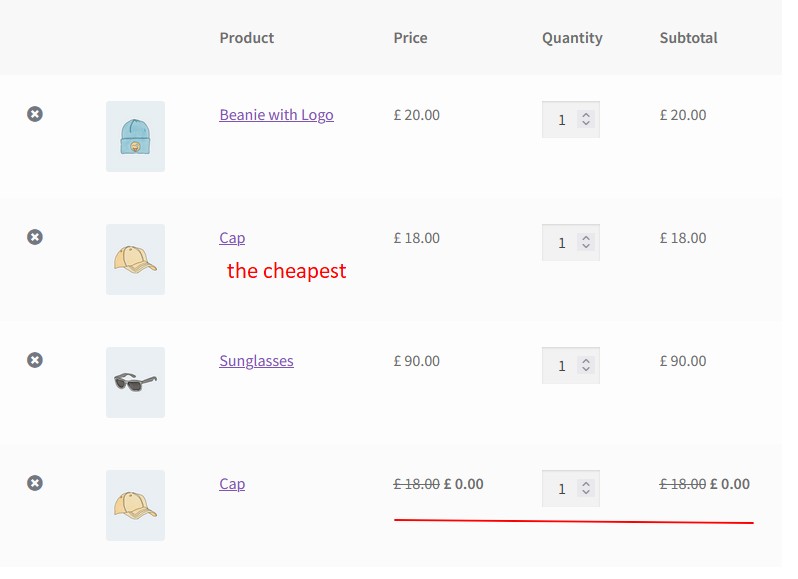
This setting is better to use for the discount scenario like a “2+1”. - Use only 1st product from filter (PRO). Automatically add to the cart only the first product from the product filter section.
This setting is better to use for the discount scenario like a “Buy 3 products and get the cheapest one for free”. - Allow to choose from products (PRO). Choose the gift from the cart.
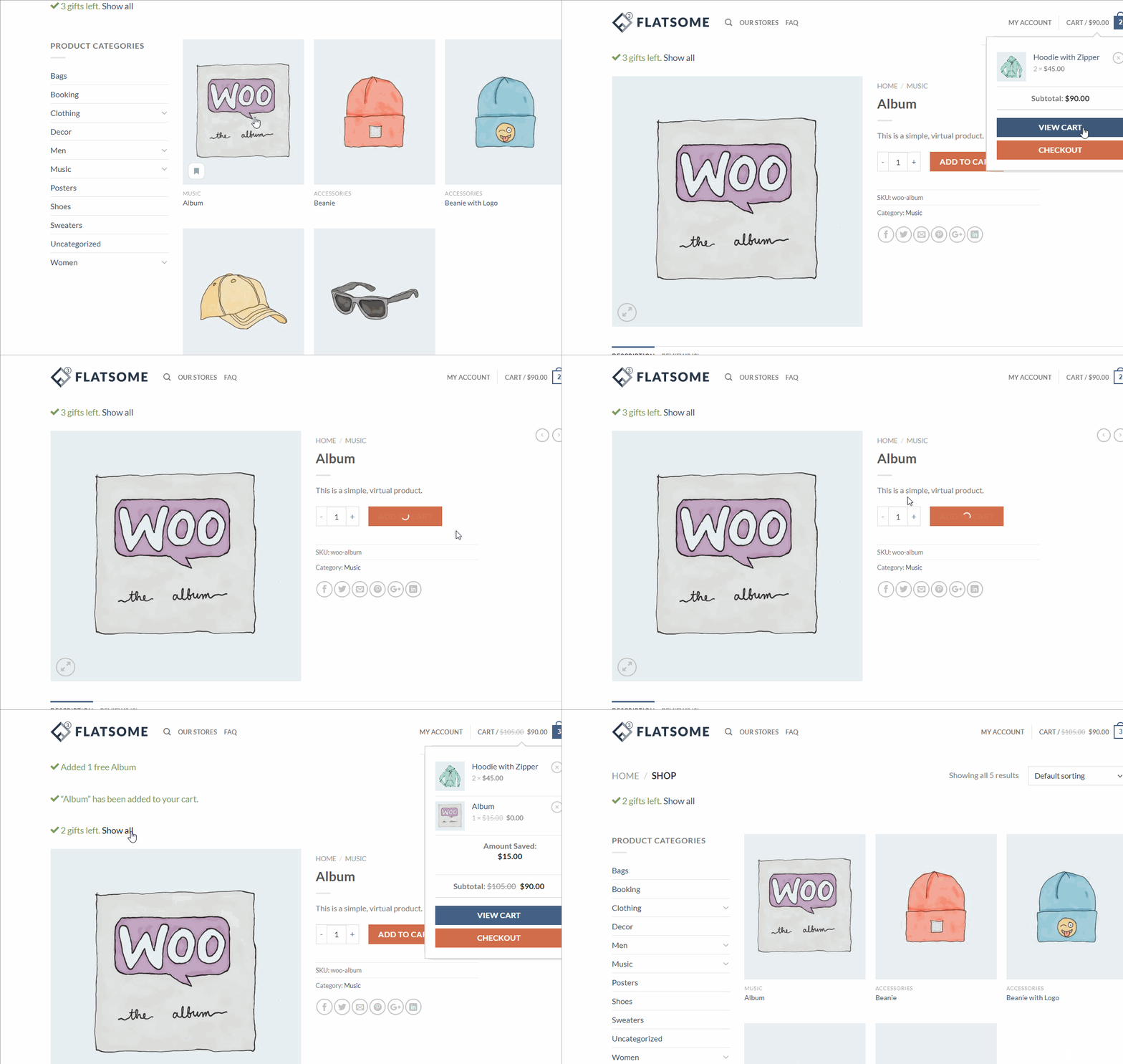
Go to the shop and add products to the cart.
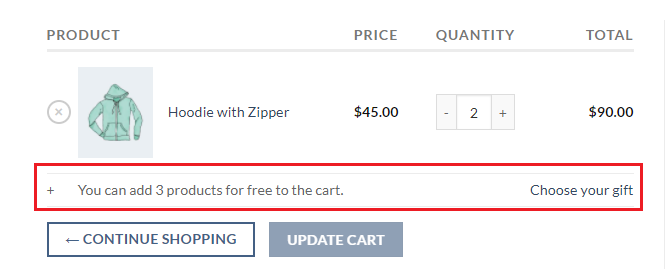
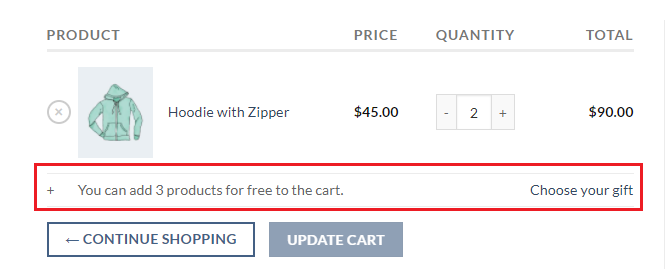
Click on the “Choose your gift” link. You’ll be redirected to the choose gift page.
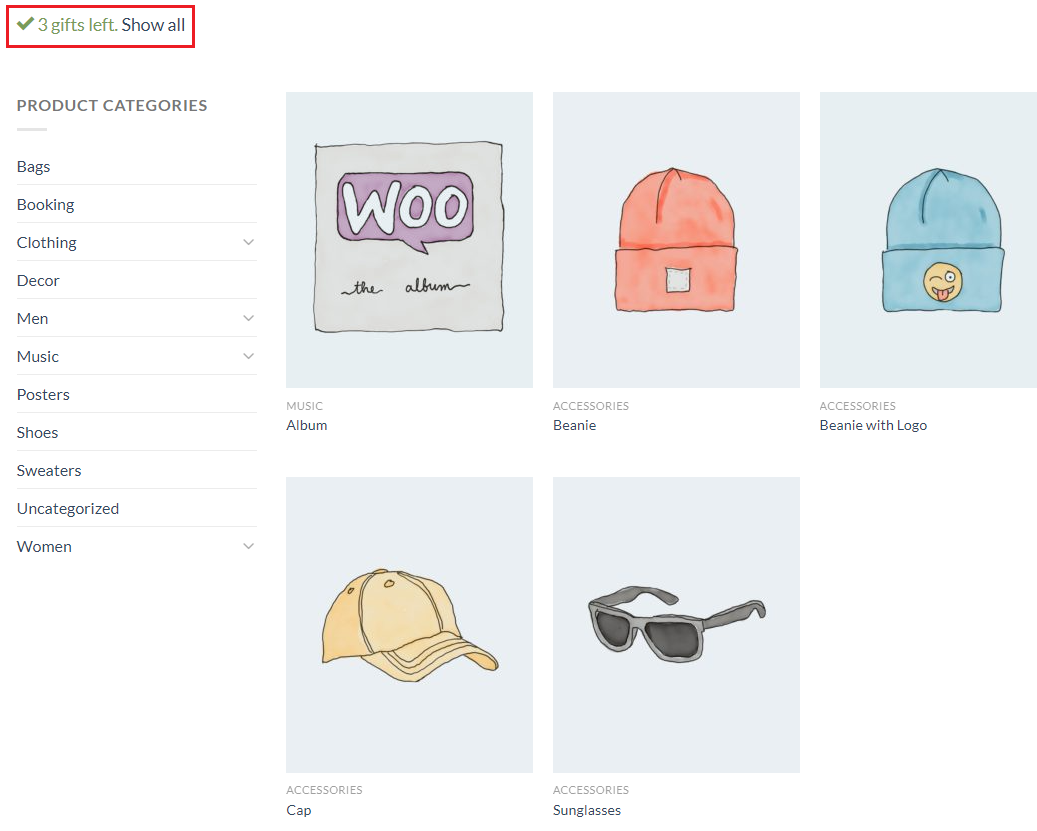
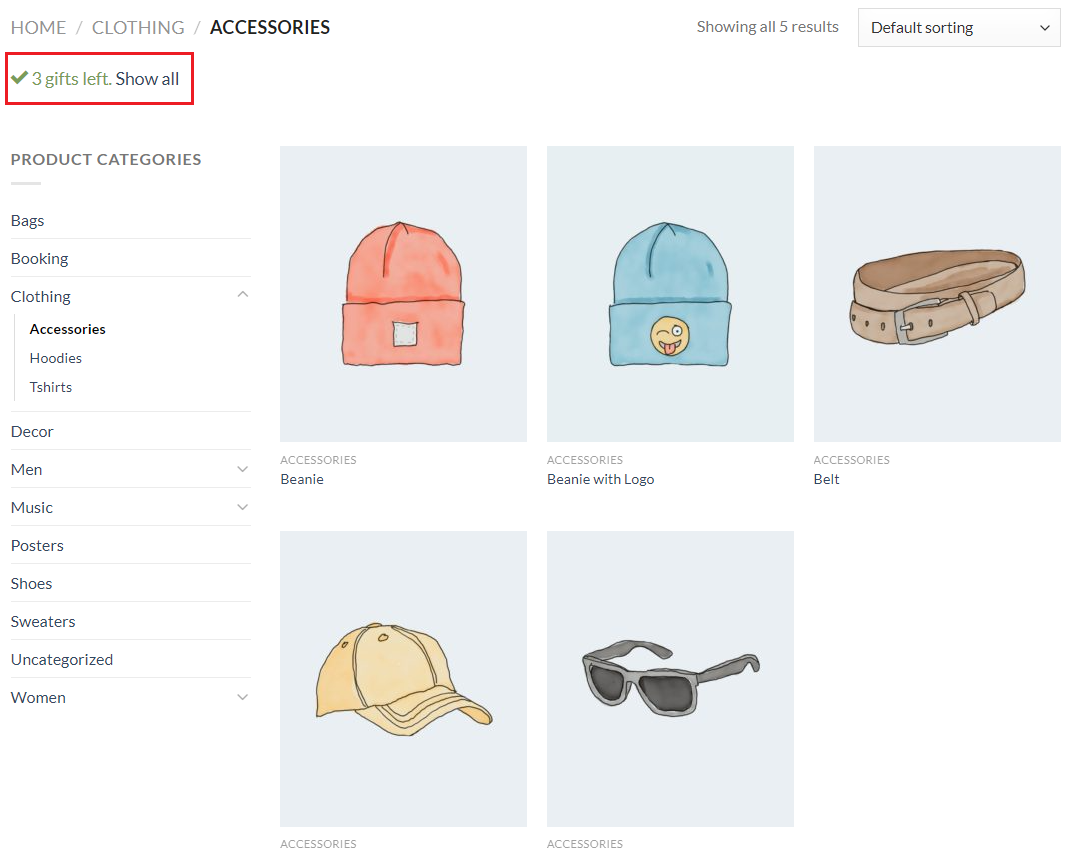
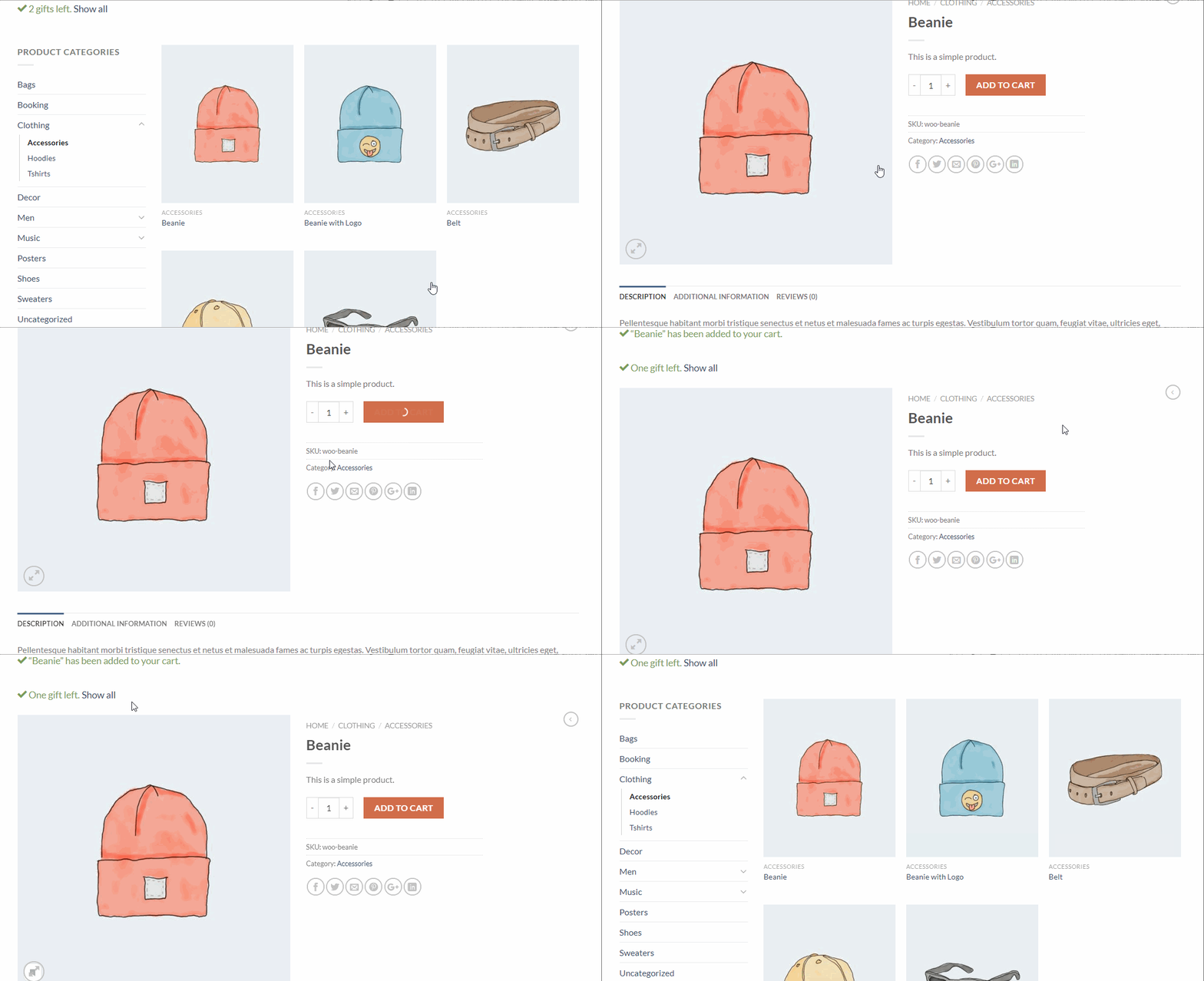
On this page you can see the message about the remaining gifts. Choose the gifts.
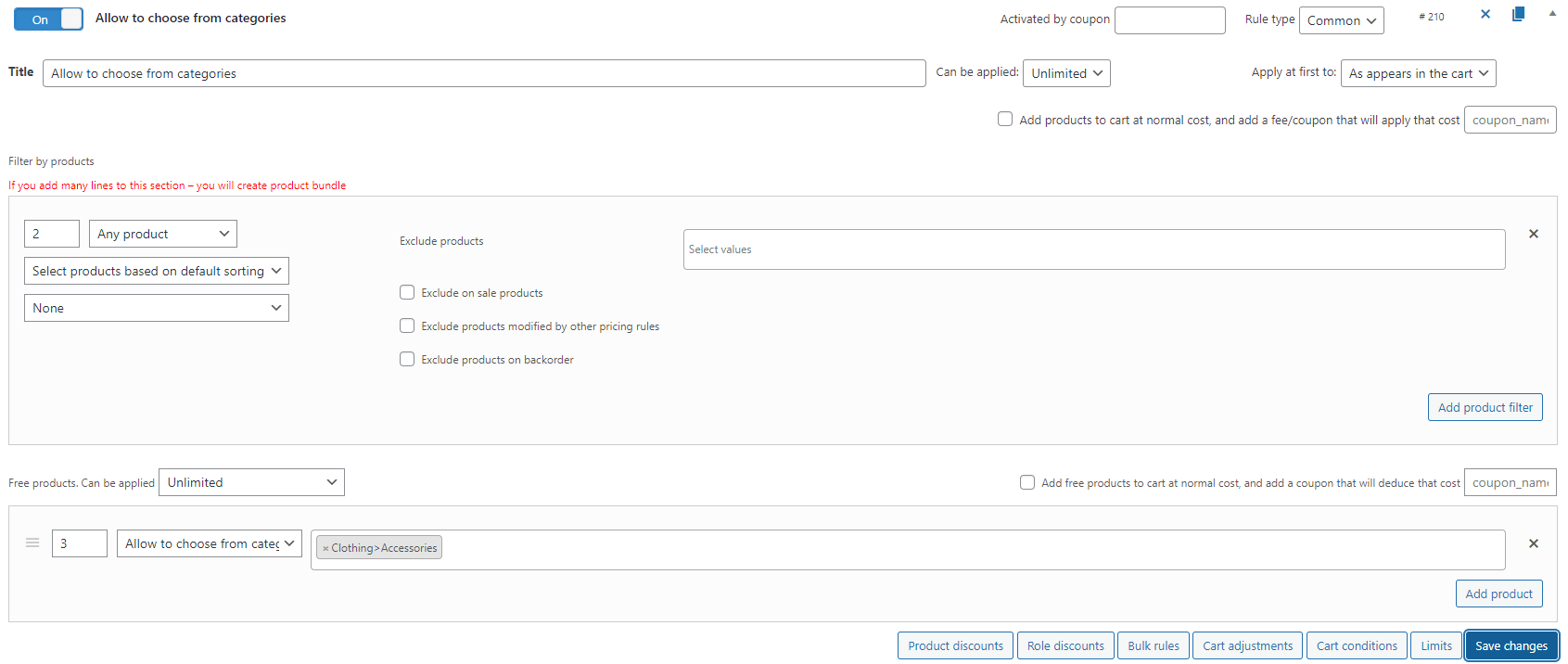
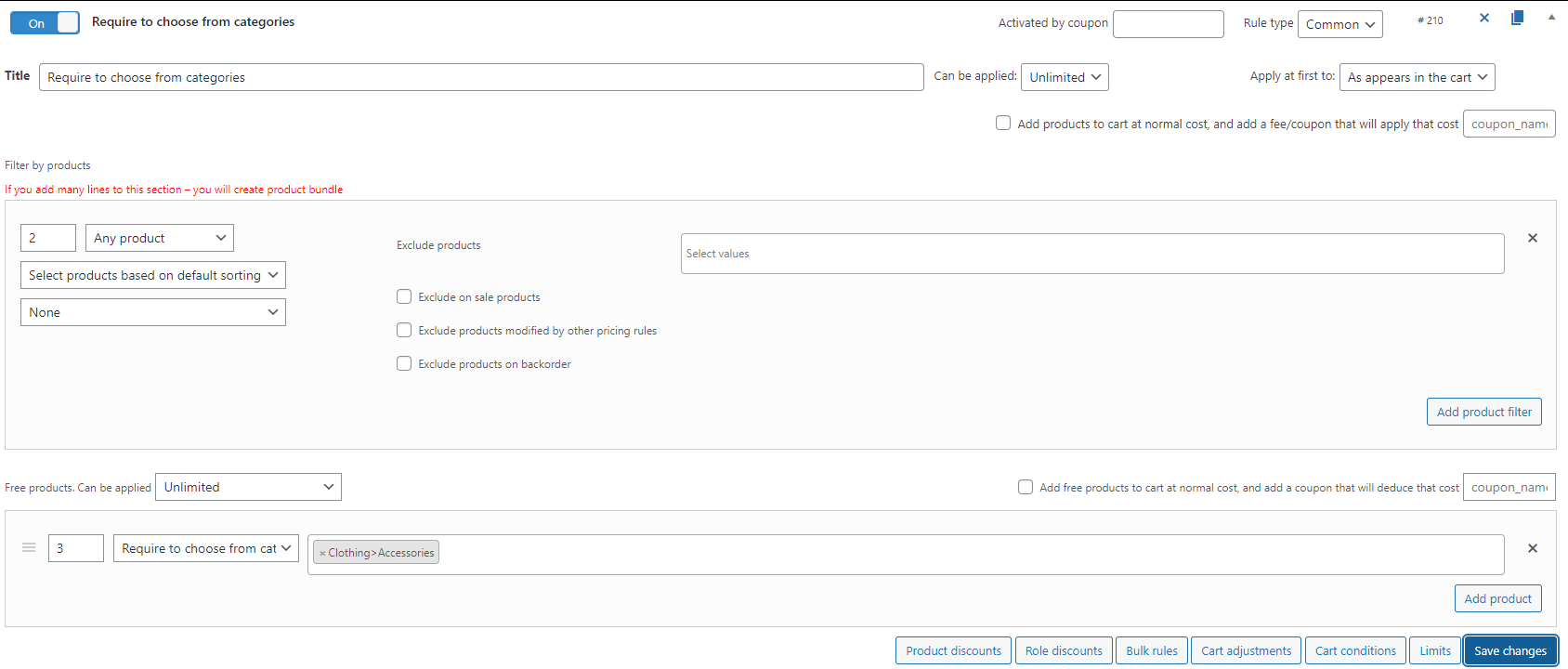
- Allow to choose from categories (PRO). Allow users choose their gift from the products of the certain categories from the cart.
Go to the shop and add products to the cart.
Click on the “Choose your gift” link. You’ll be redirected to the choose gift page.
On this page you can see the message about the remaining gifts. Choose the gifts.
- Require to choose from products and require to choose from categories (PRO). The main difference between “Allow” and “Require” mode is the user can’t go to the checkout until adding gift to the cart


“Can be applied” parameter
Adjust the maximum number of bundles with free products.
The one feature that differ this parameter from another is “Based on subtotal” option. Get the free product, for example, for each $10 subtotal.
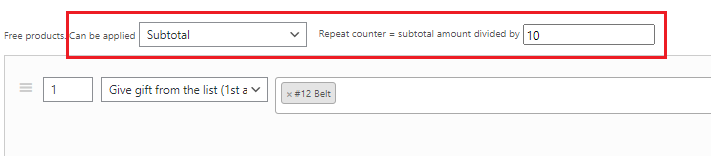
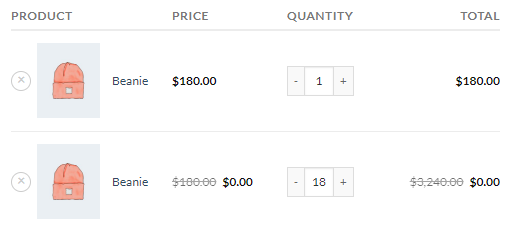
In this case, we get the 18 gifts.
“Add free products to cart at normal cost, and add a coupon that will reduce the cost” option
Give free products using a coupon.
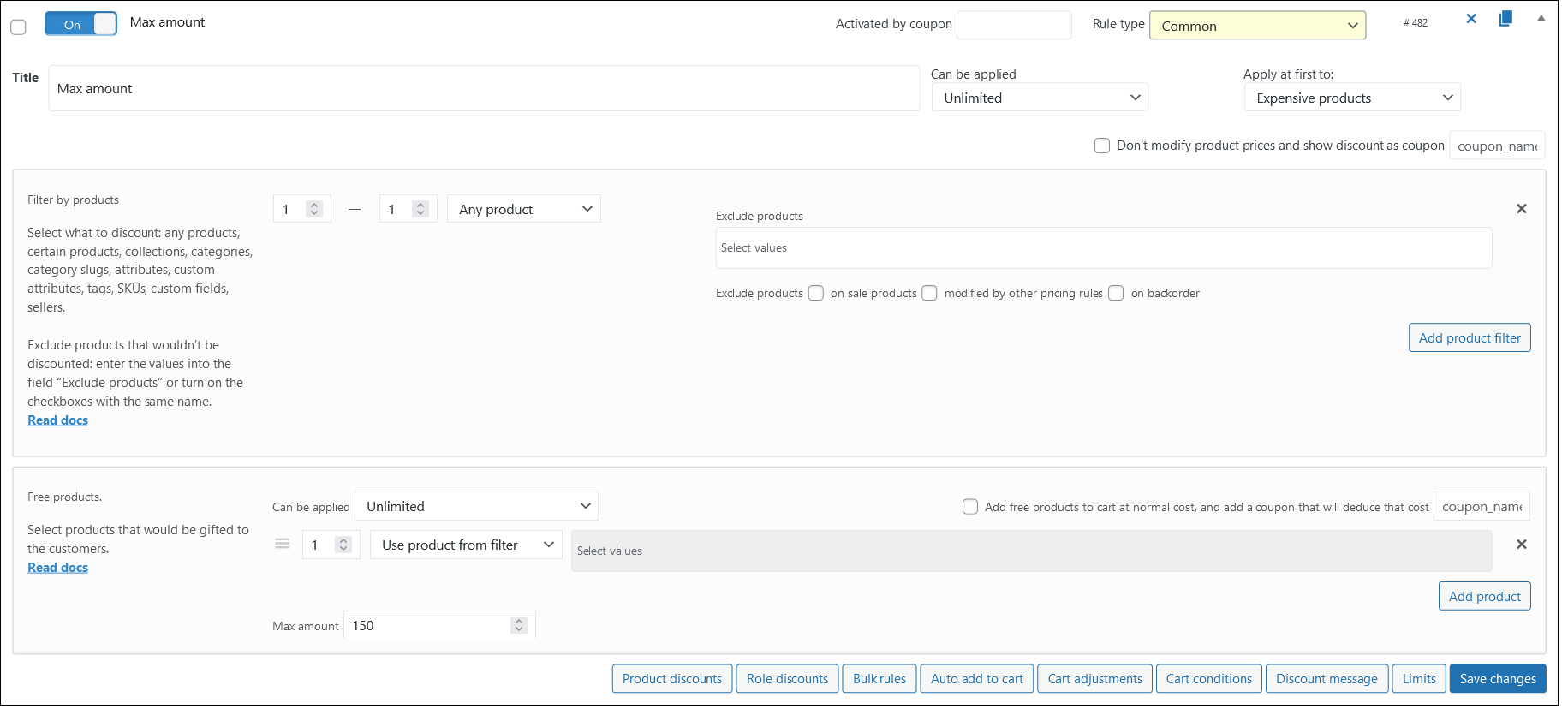
Max amount (PRO)
Input the maximum sum of the gifted products.
Let’s consider the rule “Give any products from the cart for maximum $150”
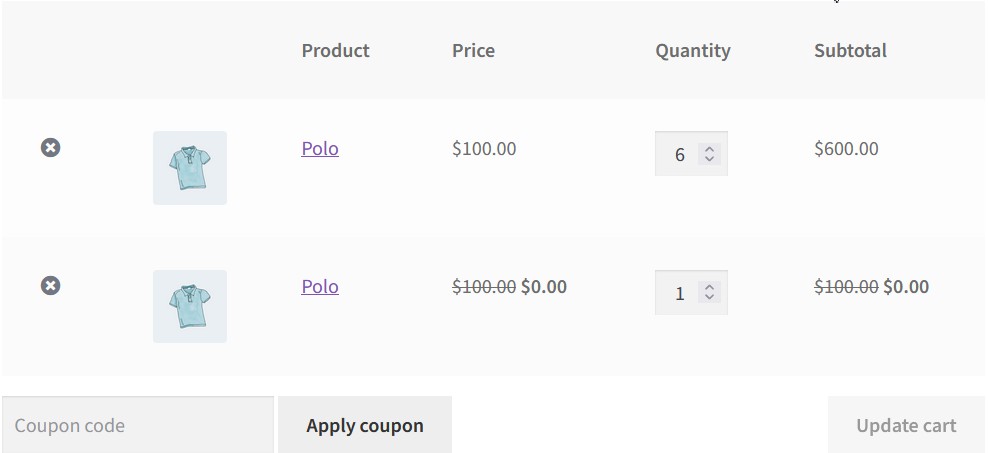
Add to the cart 6 Polo for $100 each.
Look at the cart. User has another 1 Polo for free, because of the max amount of $150 for gifts.
Let’s add some product for less than $50 and look at the cart again.
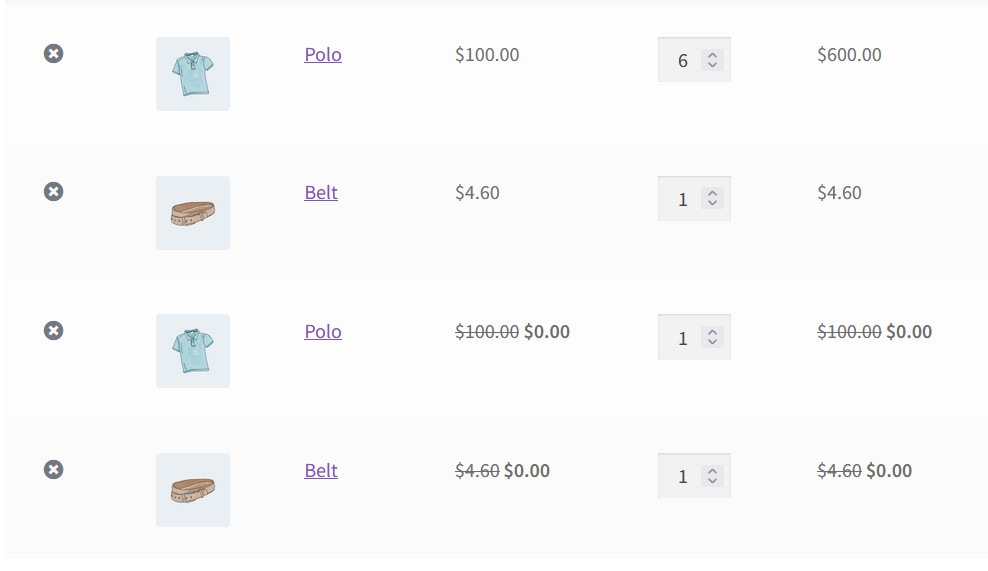
User has another one belt gifted and there’s a $45.4 left for some gifts.