Profiles
One of the main features of the PRO version of the “Advanced Orded Export for WooCommerce” plugin is Profiles.
What Are Profiles?
A profile stores all your export settings. Field selections. Date ranges. File formats. Everything.
Need different reports for accounting, warehouse, and marketing? Create three profiles. Switch with one click.
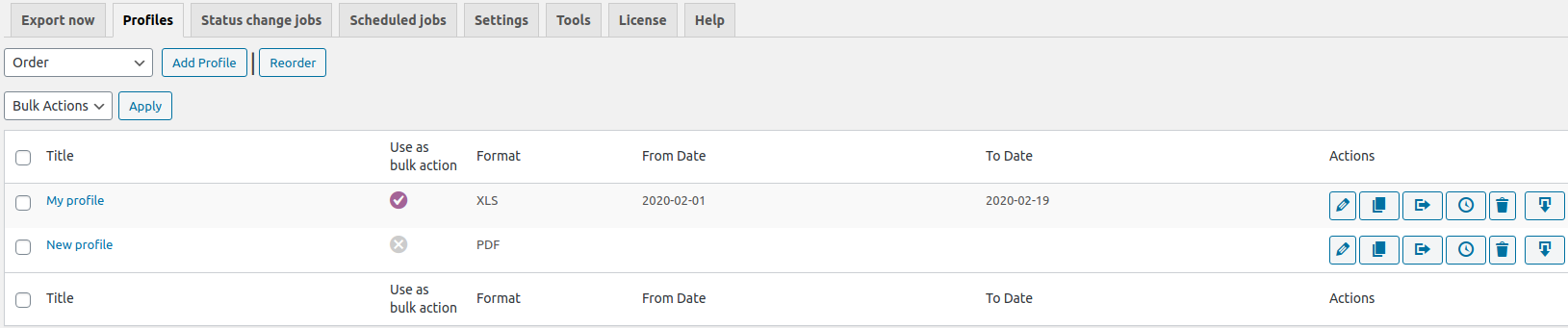
Two Ways to Create a Profile
Method 1 – From Profiles tab
Select the order type in the “Order”, the “Order refund” or the “Order Subscription” fields and click the “Add profile” button.

Method 2 – From Export now tab
Set up the settings on the “Export now” tab and click the “Save as profile” button.
You will be redirected to your profile page. Fill in the “Title” field and click the “Save & Exit” button”.
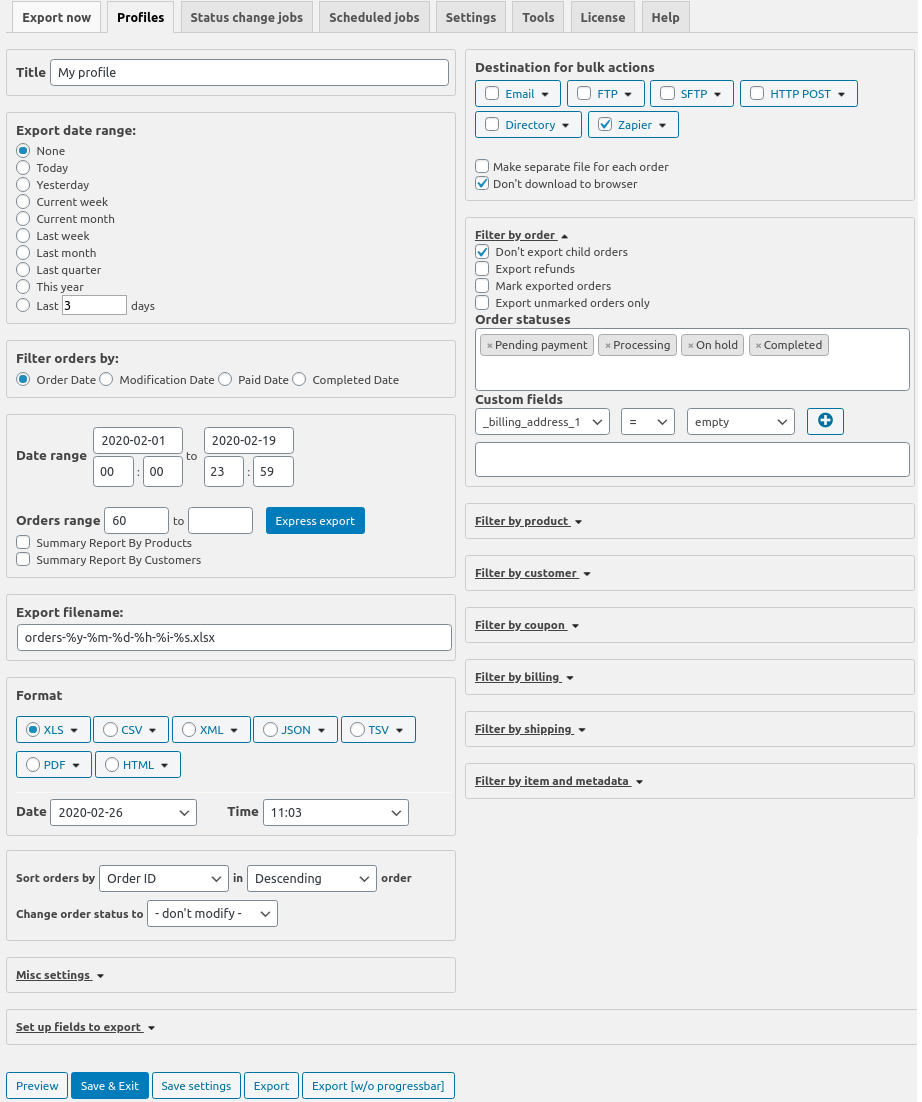
The profile’s toolbar

The toolbar has the next options:
- Edit – Change settings
- Clone – Duplicate profile (great for small variations)
- Copy to Status change jobs – Turn profile into automated status-based export
- Copy to Scheduled job – Schedule this export to run automatically
- Delete – Remove profile
- Export – Run this profile immediately
Bulk Actions on Profiles Tab
There is the “Bulk actions” context menu on the “Profiles” tab. It has the following settings:
- Activate – after activating the profile, the “Export as profile” setting becomes available in the “Bulk actions” context menu in the “WooCommerce” – “Orders” section
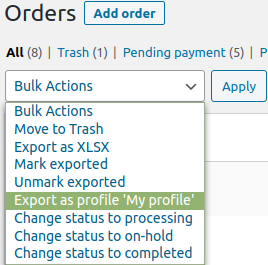
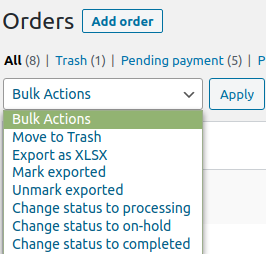
- Deactivate – the “Export as profile” setting in the “Bulk actions” context menu in the “WooCommerce” – “Orders” section will become unavailable
- Delete – deleting a chosen profiles.
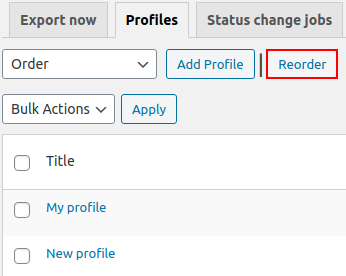
If there are several profiles, you can sort them conveniently on the “Profiles” tab. Just click the “Reorder” button and drag & drop the elements in the desired order.
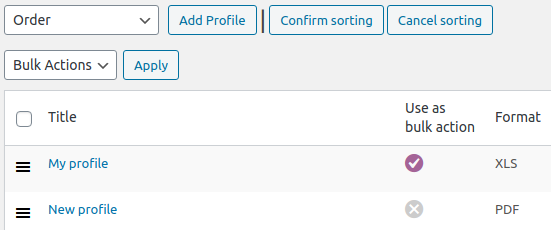
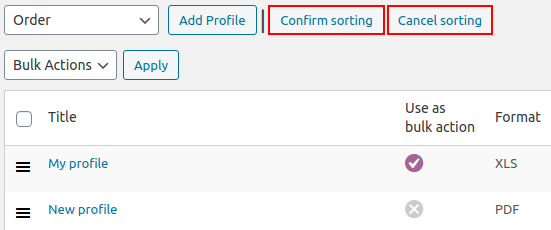
To save it, click “Confirm settings” to cancel – “Cancel sorting”.
Note: More detailed about the main elements of the interface of the “Profile” tab here. The description of the “Destination” block is here.
The description of the “Export date range” block is here.
Advanced Order Export for WooCommerce profiles save hours. Your accounting team has one profile. Warehouse has another. Marketing has a third.
No more “can you export this again with different columns?” Just send the profile. Export runs instantly. Everyone stays happy.